

Good Label · Label printers
GoodLabel 4B-2054NS direct thermal label printer
The GoodLabel 4B-2054NS is a direct thermal only 4-inch printer driven by GoodLabel Designer in TSPL; the Gap length field value goes into the GAP command as is. GoodLabel 4B-2054NS, W-4B-2054NS and Xprinter 4B-2054N in the model list are all TSPL at 203 dpi, so each sends the same commands.
- Print method
- Direct thermal
- Resolution
- 203 dpi
- Print speed
- 152 mm/s (6 ips)
- Print width
- 104 mm
- Media width (including liner)
- 26–116 mm
- Media holder
- No roll space inside the unit; media feeds from the rear (roll on an external holder)
Specifications
| Print method | Direct thermal |
|---|---|
| Resolution | 203 dpi |
| Print speed | 152 mm/s (6 ips) |
| Print width | 104 mm |
| Media width (including liner) | 26–116 mm |
| Media holder | No roll space inside the unit; media feeds from the rear (roll on an external holder) |
| Memory | 256 MB |
| Manufacturer / country of origin | XPRINTER, China |
| Conformity registration (in Korea) | R-R-MXQ-W-4B-2054NS |
| Driver model | 4BARCODE 4B-2054N |
| GoodLabel Designer models | GoodLabel 4B-2054NS / W-4B-2054NS, Xprinter 4B-2054N (TSPL, 203 dpi) |
| Designer density and speed | Density 0–15 (default 11), speed 1–10 (default 3) |
The GoodLabel 4B-2054NS is a direct-thermal-only 4-inch printer that GoodLabel Designer prints to with TSPL commands. Unlike Zebra printers, which use ZPL, the Gap length number in Printer settings is sent as-is in the GAP command, so the position of the first label depends on this number.
The three names in the Designer model list
| Brand | Model | Command language | Resolution |
|---|---|---|---|
| GoodLabel | 4B-2054NS | TSPL | 203 DPI |
| GoodLabel | W-4B-2054NS | TSPL | 203 DPI |
| Xprinter | 4B-2054N | TSPL | 203 DPI |
All three lines are TSPL and 203 DPI, so whichever line you pick, the same SIZE, GAP and DENSITY commands are sent. The resolution field also has only 203 DPI, so it is filled in when you select the model.
The driver is the 4B-2054N S GoodLabel printer driver in Downloads, and in the install list you register it as the 4B-2054N from the manufacturer 4BARCODE. If 4BARCODE and 4B-2054N remain in the Windows printer name, the Designer detects it as the Xprinter 4B-2054N model on its own.
TSPL commands changed by Printer settings items
| Designer item | TSPL command | How to use it on the 4B-2054NS |
|---|---|---|
| Label width and height (mm) | SIZE 100 mm,150 mm (for a 100×150 label) | Keep the width within the unit's print width of 104 mm. |
| Media type Gap labels + Gap length | GAP n mm,0 mm | n is the number in the Gap length field; it defaults to 3 mm and takes 0–20 mm in 0.5 mm steps. |
| Media type Continuous media | GAP 0 mm,0 mm | Used for direct thermal rolls with no gaps. |
| Print method Direct thermal | SET RIBBON OFF | The unit does not use a ribbon, so select Direct thermal or "Printer settings". With "Printer settings", this line is left out. |
| Density (0–15, default 11) | DENSITY | If the print is light, raise it by 1 at a time. |
| Speed (1–10, default 3) | SPEED | The unit's top speed is 152 mm/s (6 ips). |
The six commands in the table are placed before the label image data (BITMAP) and sent RAW without going through the driver. When the "Print as image" box is checked, the RAW path is not used, and the media size and gap must be set in the Windows driver settings.
Steps to align the first label
- Measure with a ruler the gap where only the liner shows, from where one label ends to where the next begins, and note it in mm.
- Set the media type in Printer settings to Gap labels, and enter the measured number in the Gap length field in 0.5 mm steps.
- When you load a new roll, click Auto detect in the Troubleshoot window to send the AUTODETECT command so the unit reads the labels and gaps again.
- If the image comes out 2 mm too low in a test print, enter -2 in Vertical offset under Advanced settings in Printer settings to pull it up.
Compatible with GoodLabel Designer
You can design and print labels for this model with GoodLabel Designer, our free label software. GoodLabel Designer · User Guide
FAQ
- How many mm do I enter in the Gap length field?
- Enter the length of the gap between two labels, where only the liner shows, measured with a ruler, for example 3 mm. The field defaults to 3 mm and changes in 0.5 mm steps, and this number goes to the unit in the GAP command.
- Can I load a ribbon for art paper labels in this unit?
- The 4B-2054NS is direct thermal only, so it uses only direct thermal paper, direct thermal Yupo and shipping label stock. If you also set the Designer print method to Direct thermal, SET RIBBON OFF is sent with the job.
- Can I rename the printer in Windows?
- Printing still works after renaming. The Designer recognizes the model from the text 4B-2054N in the name, so 4BARCODE can be removed; if 4B-2054N is removed as well, the model is not detected, and you search for 4B-2054NS in the Printer model field of the Printer settings window and select it.
Drivers & manuals
How to buy
- In Korea, this product is sold through our Korean online store. Korean product page →
- Outside Korea, contact us by email. Email: Contact →
- Or buy from an authorized dealer in your country.
Other models in this category
 BixolonBixolon SLP-DX220 label printerThe SLP-DX220 is a Bixolon 2-inch direct thermal printer, 54mm print width, 203dpi, up to 6ips, rolls 15–60mm wide. Select SLP-DX220 (ZPL, 203dpi) in the GoodLabel Designer model list, and the Troubleshoot window skips the print method step and guides only saving the label type and Detect media.
 BixolonBixolon SLP-DX223 label printerA 2-inch direct thermal printer for dense text and QR codes on small labels 10–20mm tall, using the SLP-DX220 body with a head of about 11.8 dots per mm (print width 56.9mm, max 4ips). In the Designer model list it appears under its sales name, SLP-DX223, with a single ZPL, 300dpi setting.
 BixolonBixolon SLP-DX420 label printerThe SLP-DX420 is a Bixolon 4-inch direct thermal only printer, 108mm wide at 203dpi and up to 7ips, suited to printing many thermal labels such as 100×150mm shipping labels. In GoodLabel Designer, select SLP-DX420 (ZPL, 203dpi); copies of the same label go as one ^PQ quantity command.
 BixolonBixolon SLP-DX423 label printerFor the SLP-DX423, you must select the SLP-DX423 (ZPL, 300dpi) entry in GoodLabel Designer; if you send to the 203dpi SLP-DX420 entry, labels come out shrunk to about 68% of their size. The printer is a Bixolon 4-inch direct thermal only model with a 105.7mm print width and a max speed of 5ips.
 BixolonBixolon SLP-TX400 label printerIn the GoodLabel Designer Troubleshoot window, the print method step (thermal transfer or direct thermal) appears only when the Printer model field shows SLP-TX400. It is a Bixolon 4-inch thermal transfer and direct thermal printer (203dpi, 108mm, max 7ips); Designer entry: SLP-TX400 (ZPL, 203dpi).
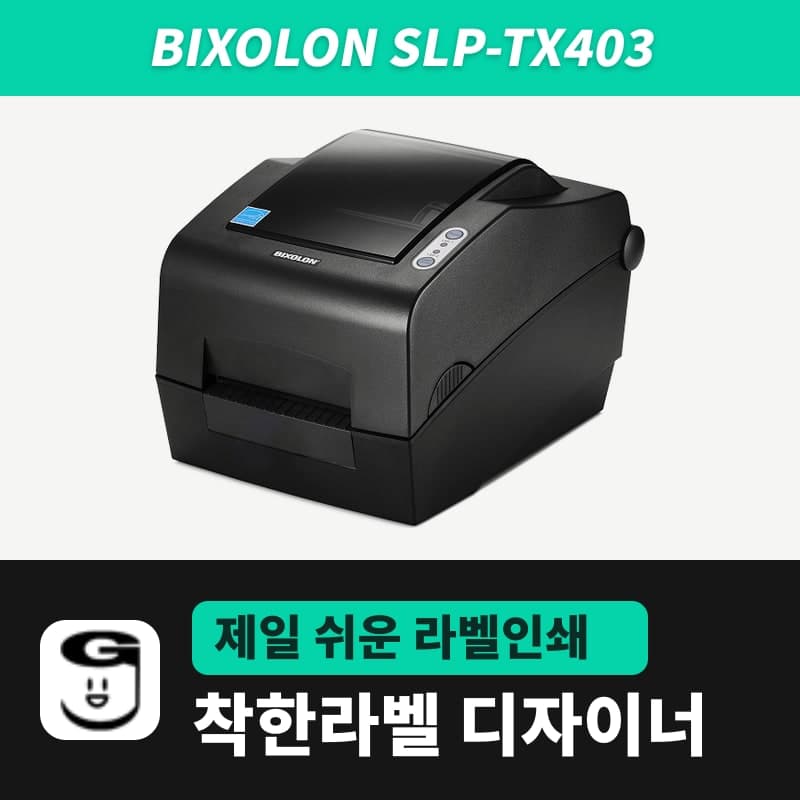 BixolonBixolon SLP-TX403 label printerThe SLP-TX403 is a Bixolon model with a 300dpi head on the same 4-inch thermal transfer and direct thermal body as the SLP-TX400, with a dot size of about 0.085mm, a max of 5ips and a 105.7mm print width. In GoodLabel Designer, select the SLP-TX403 (ZPL, 300dpi) entry.