
Zebra · Label printers
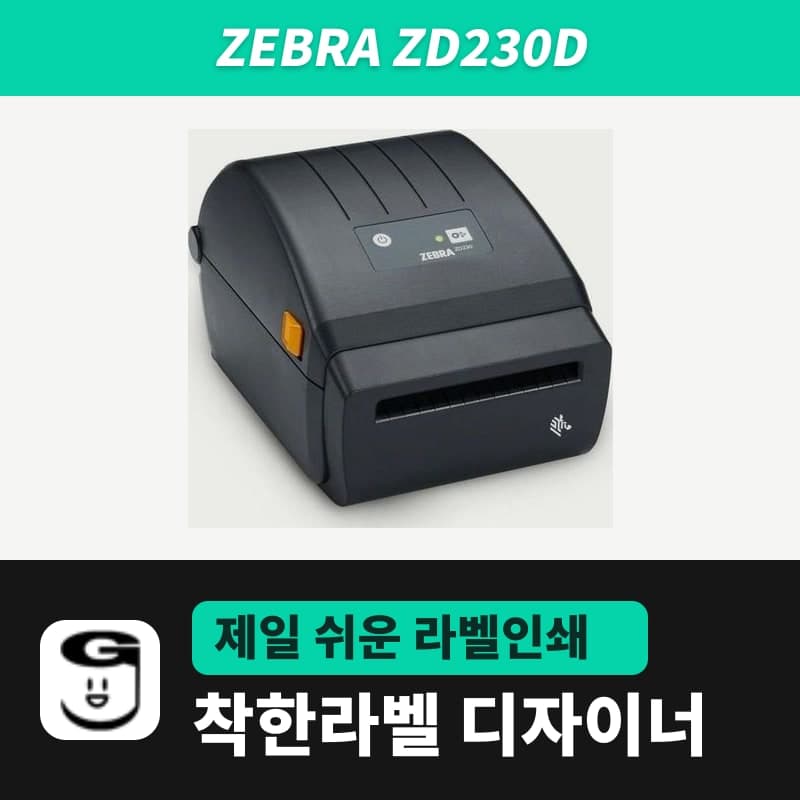
Zebra ZD230D label printer
The ZD230D is a Zebra 4-inch 203 dpi printer that prints only direct thermal labels without a ribbon, offered alongside the newer ZD230DA and the thermal transfer ZD230TA as variants. In GoodLabel Designer, selecting Direct thermal on the ZD230 model sends ^MTD together with the media type command.
- Print method
- Direct thermal (ZD230D, no ribbon)
- Resolution
- 203 dpi (8 dots/mm), dot size 0.13 mm
- Print speed
- 4 ips (102 mm/s) or up to 6 ips (152 mm/s) selectable, default 4 ips
- Max print width
- 104 mm
- Media width
- 25.4–112 mm (2021 technical specifications), direct thermal max 108 mm (2024 Korean direct thermal user guide)
- Label length
- Min 25.4 mm, max 991 mm (2021 technical specifications) / 990 mm (2024 Korean direct thermal user guide)
Specifications
| Print method | Direct thermal (ZD230D, no ribbon) |
|---|---|
| Resolution | 203 dpi (8 dots/mm), dot size 0.13 mm |
| Print speed | 4 ips (102 mm/s) or up to 6 ips (152 mm/s) selectable, default 4 ips |
| Max print width | 104 mm |
| Media width | 25.4–112 mm (2021 technical specifications), direct thermal max 108 mm (2024 Korean direct thermal user guide) |
| Label length | Min 25.4 mm, max 991 mm (2021 technical specifications) / 990 mm (2024 Korean direct thermal user guide) |
| Media thickness | 0.08–0.1905 mm (2021 technical specifications), 0.06–0.1905 mm (2024 Korean direct thermal user guide) |
| Media roll | Outer diameter up to 127 mm, core 12.7 mm / 25 mm; 1.5-inch cores with the adapter kit (37.1 mm: 2021 technical specifications, 38.1 mm: 212089-03KO) |
| Media sensing | Gap, black line, notch / fanfold media feed slot |
| Command language | ZPL II, EPL2 |
| Memory | 128 MB flash, 128 MB SDRAM |
| Sold variants | ZD230D (direct thermal only, USB), with the newer ZD230DA (direct thermal only, USB) and ZD230TA (thermal transfer, USB) offered alongside; white unit as a separate variant |
| GoodLabel Designer model | ZD230 (ZPL, 203 dpi) |
| Dimensions and weight | 220 × 176 × 151 mm (direct thermal model), 1.1 kg |
| Operating temperature | 5–41°C |
The ZD230D is a Zebra 4-inch desktop printer that prints only direct thermal labels without a ribbon, and the newer ZD230DA (direct thermal only, USB) and the thermal transfer ZD230TA are offered alongside it as variants. In the GoodLabel Designer model list, all four models are the single ZD230 line, so the label setup steps are the same whichever variant you have.
Choosing among the three variants
- If you print only direct thermal paper and shipping labels, it is either the ZD230D (direct thermal only, USB) or the newer ZD230DA (direct thermal only, USB). Both have a 203 dpi head and print up to 104 mm wide at up to 6 ips (152 mm/s).
- If you need to print art paper or Yupo labels with a ribbon, choose the ZD230TA (thermal transfer, USB). No ribbon is loaded on the two direct-thermal-only variants.
- All three variants have USB in their names, so the unit is a USB-connected configuration, and the white unit is a separate ZD230D (white) variant.
Whichever variant you have, it is set up as the same ZD230 model in the Designer, so a label file (.glb) made once opens as-is on all three units.
Setting up the ZD230D in GoodLabel Designer
- Install the Zebra universal driver v10 (Downloads) and the unit appears in the Windows printer list.
- In the Designer's Printer settings window, select that printer and search for ZD230 in the Printer model field. The ZD230 has only one resolution, 203 DPI, so the resolution is filled in the moment you select the model.
- The unit has no ribbon, so click the Direct thermal button for the print method in Printer settings. ^MTD is then placed before the first label each time you print.
- For the media type, choose the one that matches the roll: Gap labels (^MNY), Continuous media (^MNN) or Black mark (^MNM). With Continuous media, the label height is sent with it in the ^LL command and sets the length of one piece.
- After loading a new roll, click Auto detect in Troubleshoot to send the ~JC command, and the unit measures the label length and gap again. The number in the Gap length field is not included in ZPL commands.
If the Windows printer name contains ZD230 as one word, the model field is filled in automatically; if the name has letters after it, such as ZD230D, search for the model in the field and enter it yourself. If the first label is faint, raise the density in the Print window above its default of 21; this field ranges from 0 to 30.
Direct thermal label specifications for the ZD230D
The max width of media for the direct thermal unit is given as two values: 112 mm (2021 ZD230 technical specifications) and 108 mm (2024 Korean direct thermal user guide 212089-03KO). A roll that is 108 mm or less including the liner is within both values.
Labels 10 mm or 20 mm high fall short of the 25.4 mm minimum label length and are not chosen for this unit.
Rolls up to 127 mm outer diameter fit, and the standard core inner diameters are 12.7 mm and 25 mm. Rolls on 1.5-inch cores need the optional adapter kit, and this core inner diameter is given differently as 37.1 mm (2021 ZD230 technical specifications) and 38.1 mm (212089-03KO). Fanfold labels go in through the feed slot at the back of the unit, and in that case set the stop position of the media guides to the media width with the gold wheel.
In the label size in the Designer's Printer settings, enter the width and height of the actual label, measured with a ruler, in mm. If you set the width larger than the 104 mm print width, the part beyond 104 mm is not printed.
Compatible with GoodLabel Designer
You can design and print labels for this model with GoodLabel Designer, our free label software. GoodLabel Designer · User Guide
FAQ
- Can I load a ribbon on the ZD230D and print art paper labels?
- No ribbon is loaded on this direct-thermal-only unit. For labels that need a ribbon, such as art paper or Yupo, choose the ZD230TA (thermal transfer, USB) variant and set the Designer print method to Thermal transfer.
- Do 100 × 150 mm shipping labels fit?
- Yes. A 100 mm width is within the max media width in both documents (108 mm / 112 mm), and a 150 mm length is within the max label length. In the Designer label size, enter width 100 mm and height 150 mm.
- Can I use old EPL forms and Designer labels on the same printer?
- The unit accepts both EPL and ZPL. GoodLabel Designer sends only ZPL commands when printing with the ZD230 model, so one printer can be shared with a program that sends existing EPL forms.
Drivers & manuals
How to buy
- In Korea, this product is sold through our Korean online store. Korean product page →
- Outside Korea, contact us by email. Email: Contact →
- Or buy from an authorized dealer in your country.
Other models in this category
 Good LabelGoodLabel 4B-2054NS direct thermal label printerThe GoodLabel 4B-2054NS is a direct thermal only 4-inch printer driven by GoodLabel Designer in TSPL; the Gap length field value goes into the GAP command as is. GoodLabel 4B-2054NS, W-4B-2054NS and Xprinter 4B-2054N in the model list are all TSPL at 203 dpi, so each sends the same commands.
 BixolonBixolon SLP-DX220 label printerThe SLP-DX220 is a Bixolon 2-inch direct thermal printer, 54mm print width, 203dpi, up to 6ips, rolls 15–60mm wide. Select SLP-DX220 (ZPL, 203dpi) in the GoodLabel Designer model list, and the Troubleshoot window skips the print method step and guides only saving the label type and Detect media.
 BixolonBixolon SLP-DX223 label printerA 2-inch direct thermal printer for dense text and QR codes on small labels 10–20mm tall, using the SLP-DX220 body with a head of about 11.8 dots per mm (print width 56.9mm, max 4ips). In the Designer model list it appears under its sales name, SLP-DX223, with a single ZPL, 300dpi setting.
 BixolonBixolon SLP-DX420 label printerThe SLP-DX420 is a Bixolon 4-inch direct thermal only printer, 108mm wide at 203dpi and up to 7ips, suited to printing many thermal labels such as 100×150mm shipping labels. In GoodLabel Designer, select SLP-DX420 (ZPL, 203dpi); copies of the same label go as one ^PQ quantity command.
 BixolonBixolon SLP-DX423 label printerFor the SLP-DX423, you must select the SLP-DX423 (ZPL, 300dpi) entry in GoodLabel Designer; if you send to the 203dpi SLP-DX420 entry, labels come out shrunk to about 68% of their size. The printer is a Bixolon 4-inch direct thermal only model with a 105.7mm print width and a max speed of 5ips.
 BixolonBixolon SLP-TX400 label printerIn the GoodLabel Designer Troubleshoot window, the print method step (thermal transfer or direct thermal) appears only when the Printer model field shows SLP-TX400. It is a Bixolon 4-inch thermal transfer and direct thermal printer (203dpi, 108mm, max 7ips); Designer entry: SLP-TX400 (ZPL, 203dpi).