
Bixolon · Label printers
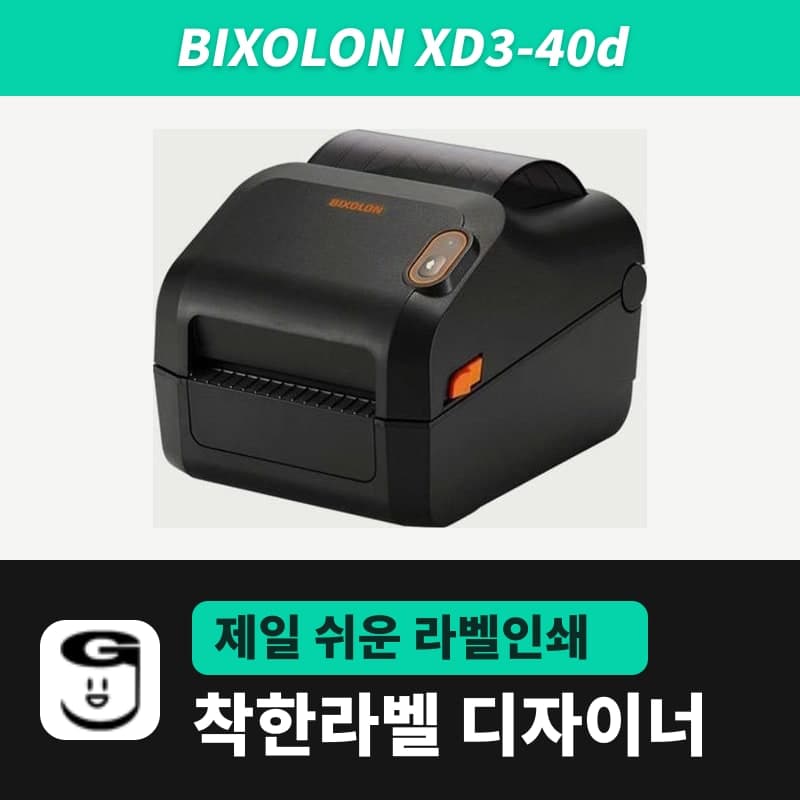
Bixolon XD3-40d label printer
The XD3-40d is a Bixolon entry-level 4-inch direct thermal printer with one button and one LED (203dpi, 104mm wide, max 5ips), USB as standard and no RTC. Printed from GoodLabel Designer's XD3-40d (ZPL, 203dpi), dates and expiration dates enter the label image from the PC's clock.
- Print method
- Direct thermal
- Resolution
- 203dpi (8 dots/mm)
- Max print width
- 104mm
- Max print speed
- 127mm/s (5ips)
- Max print length
- 1,000mm
- Media width and thickness
- 15–118mm, 0.06–0.20mm
Specifications
| Print method | Direct thermal |
|---|---|
| Resolution | 203dpi (8 dots/mm) |
| Max print width | 104mm |
| Max print speed | 127mm/s (5ips) |
| Max print length | 1,000mm |
| Media width and thickness | 15–118mm, 0.06–0.20mm |
| Media roll | Outer diameter up to 127mm, core inner diameter 25.4–38mm |
| Sensors | Transmissive (fixed), reflective (adjustable position), head open |
| Real-time clock (RTC) | Not supported |
| Interfaces | Standard USB, optional USB + serial + Ethernet |
| Emulation | SLCS, BPL-Z (ZPL II), BPL-E (EPL), BPL-D (DPL, optional) |
| Dimensions and weight | 181×222×168mm, 1.7kg |
| Sold variants | Connection: USB |
| GoodLabel Designer model | XD3-40d (ZPL, 203dpi) |
The XD3-40d is the entry-level model among Bixolon 4-inch direct thermal printers. It is operated with 1 button and 1 LED, its standard connection is a single USB port, and it has no real-time clock (RTC), not even as an option. It prints at 203dpi up to 104mm wide, at a max speed of 5ips (127mm/s).
Adding dates and expiration dates without an RTC
Dates print correctly even though the printer has no clock because GoodLabel Designer's Insert date and Insert time elements draw the PC's time at the moment you click Print into the 203dpi bitmap. The printer only receives the finished image with the ZPL ^GFB command and prints it.
- Choose from 10 date formats, such as YYYYMMDD and YYYY-MM-DD, and 9 time formats.
- Enter a number of days in Date offset, and an expiration date such as manufacturing date +3 days is calculated automatically.
- If the PC clock is wrong, the label date is wrong too, so check the date once on the first label.
How to add these elements is in the Insert date and Insert time section of the Text chapter of the guide.
Status shown by the single LED
| LED | Meaning | Next step |
|---|---|---|
| Green on | Normal standby, waiting for PC data | Print from the Designer |
| Green blinking | Printing paused with the button | Press the button once more to resume |
| Orange on | Gap or black mark not found, or media jam | Reload the roll and run auto calibration |
| Orange blinking | Out of media | Check that the new roll is loaded correctly |
| Red on | Cover open | Close the cover fully |
| Red blinking | Head (TPH) overheated | Pause printing, then send again |
Button calibration on the printer versus Designer auto detection
In the standalone setup mode entered by holding the button for more than 3 seconds, gap calibration is item 2 (orange blinks 4 times) and black mark calibration is item 3 (red blinks 4 times). As their names say, both items run a factory reset together with calibration, so any settings you changed return to their factory state.
Detect media in the Designer's Troubleshoot window sends a single ~JC after a block that saves direct thermal and the label type with ^JUS, so no factory reset is involved. Because this is a direct thermal only model, the window skips the print method step and goes only through Label type → Save to printer → Detect media.
Separately from calibration, when media is first fed or when the length of the loaded media differs from the saved length, the printer feeds 2–3 labels to measure the length again and remembers the result.
Designer model list and driver
The Designer list has the XD3-40d along with the XD3-40dK, XD3-40t and XD3-40tK. Select the entry whose name exactly matches this product (ZPL, 203dpi); the only connection is USB. The Bixolon unified driver is in the download center, and the Korean-language manual PDF for this model is on the XD3-40d user guide page.
Compatible with GoodLabel Designer
You can design and print labels for this model with GoodLabel Designer, our free label software. GoodLabel Designer · User Guide
FAQ
- The list has both XD3-40d and XD3-40dK. Which do I select?
- Select the name that matches the printer's model plate, so for this product it is the entry without K. Both entries are ZPL at 203dpi, so the print commands the Designer creates are the same.
- The orange LED stays on and labels keep feeding out.
- The printer cannot find the gap or black mark. Check that the media type in the Designer's Printer settings matches the roll, then save the label type in the Troubleshoot window and run Detect media. A roll with black stripes on the back is saved as black mark (^MNM), and a roll with space between labels as gap labels (^MNY).
- Can this model print 100×150mm parcel shipping labels?
- The print width is 104mm, so a 100mm-wide shipping label fits in one pass, and a single label can be up to 1,000mm long. If you select the 100×150 shipping template among the Designer's shared templates, it is sent as an 800×1,199-dot image at 203dpi, and the roll must be 127mm or less in outer diameter to fit in the printer.
Drivers & manuals
How to buy
- In Korea, this product is sold through our Korean online store. Korean product page →
- Outside Korea, contact us by email. Email: Contact →
- Or buy from an authorized dealer in your country.
Other models in this category
 Good LabelGoodLabel 4B-2054NS direct thermal label printerThe GoodLabel 4B-2054NS is a direct thermal only 4-inch printer driven by GoodLabel Designer in TSPL; the Gap length field value goes into the GAP command as is. GoodLabel 4B-2054NS, W-4B-2054NS and Xprinter 4B-2054N in the model list are all TSPL at 203 dpi, so each sends the same commands.
 BixolonBixolon SLP-DX220 label printerThe SLP-DX220 is a Bixolon 2-inch direct thermal printer, 54mm print width, 203dpi, up to 6ips, rolls 15–60mm wide. Select SLP-DX220 (ZPL, 203dpi) in the GoodLabel Designer model list, and the Troubleshoot window skips the print method step and guides only saving the label type and Detect media.
 BixolonBixolon SLP-DX223 label printerA 2-inch direct thermal printer for dense text and QR codes on small labels 10–20mm tall, using the SLP-DX220 body with a head of about 11.8 dots per mm (print width 56.9mm, max 4ips). In the Designer model list it appears under its sales name, SLP-DX223, with a single ZPL, 300dpi setting.
 BixolonBixolon SLP-DX420 label printerThe SLP-DX420 is a Bixolon 4-inch direct thermal only printer, 108mm wide at 203dpi and up to 7ips, suited to printing many thermal labels such as 100×150mm shipping labels. In GoodLabel Designer, select SLP-DX420 (ZPL, 203dpi); copies of the same label go as one ^PQ quantity command.
 BixolonBixolon SLP-DX423 label printerFor the SLP-DX423, you must select the SLP-DX423 (ZPL, 300dpi) entry in GoodLabel Designer; if you send to the 203dpi SLP-DX420 entry, labels come out shrunk to about 68% of their size. The printer is a Bixolon 4-inch direct thermal only model with a 105.7mm print width and a max speed of 5ips.
 BixolonBixolon SLP-TX400 label printerIn the GoodLabel Designer Troubleshoot window, the print method step (thermal transfer or direct thermal) appears only when the Printer model field shows SLP-TX400. It is a Bixolon 4-inch thermal transfer and direct thermal printer (203dpi, 108mm, max 7ips); Designer entry: SLP-TX400 (ZPL, 203dpi).