
Godex · Label printers
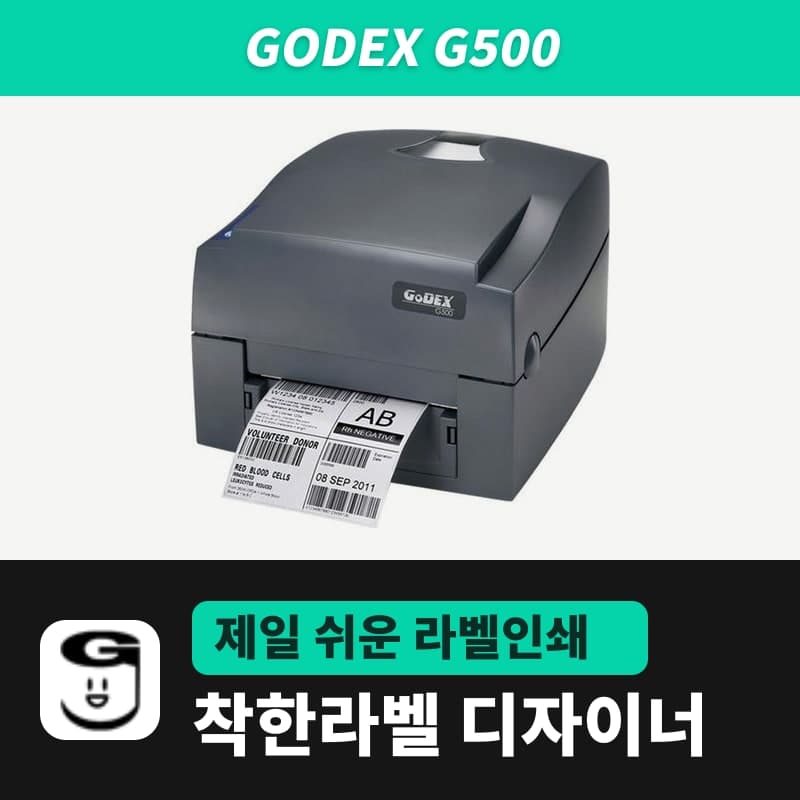
Godex G500 label printer
The Godex G500 is a 4-inch thermal transfer and direct thermal printer: 203dpi, up to 108mm wide and 1,727mm per label. The G500 (EZPL, 203dpi) entry in GoodLabel Designer sends EZPL directly, without a driver; print method (^AD/^AT) and label size (^W/^Q) go on a job's first label and are stored.
- Print method
- Thermal transfer and direct thermal
- Resolution
- 203dpi (8 dots/mm)
- Max print speed
- 127mm/s (5ips)
- Max print width
- 108mm
- Print length
- 4-1,727mm (label height in GoodLabel Designer goes up to 1000mm)
- Sensors
- Movable reflective sensor, fixed center see-through sensor
Specifications
| Print method | Thermal transfer and direct thermal |
|---|---|
| Resolution | 203dpi (8 dots/mm) |
| Max print speed | 127mm/s (5ips) |
| Max print width | 108mm |
| Print length | 4-1,727mm (label height in GoodLabel Designer goes up to 1000mm) |
| Sensors | Movable reflective sensor, fixed center see-through sensor |
| Media | Continuous, gap labels, black mark, punched tags; width 25.4-118mm, thickness 0.06-0.25mm |
| Media roll | Up to 127mm outer diameter; core 25.4, 38.1, 76.2mm |
| Ribbon | Wax, wax-resin, resin; 300m; width 30-110mm; roll outer diameter 68mm; 1-inch core |
| Printer language | EZPL, GEPL, GZPL (automatic switching) |
| Interfaces | USB 2.0 / USB 2.0 + RS-232 + Ethernet 10/100 (by configuration) |
| Control panel | 2 two-color status lights (READY, STATUS), FEED button |
| GoodLabel Designer model | G500 (EZPL, 203dpi) |
The Godex G500 is a 4-inch thermal transfer and direct thermal printer with a 203dpi head that prints 8 dots per mm, up to 108mm wide and up to 1,727mm per label. The GoodLabel Designer model list has a G500 entry with the same name as the sold model, registered as EZPL, 203dpi, so the fields you choose in Printer settings are turned into EZPL commands and go straight to the printer without passing through a driver.
Printer settings fields and the EZPL commands the G500 receives
The same builder is used for all Godex models, so the table below also applies to other Godex entries such as G530, NB010, RT700i and ZX1200i.
| Selected in the designer | EZPL sent | What happens on the G500 |
|---|---|---|
| Print method: Printer settings (default) | No method command | Prints with the method stored in the printer |
| Print method: Direct thermal | ^AD | Switches to printing on thermal paper without a ribbon |
| Print method: Thermal transfer | ^AT | Switches to printing with a ribbon |
| Media type: Gap labels + Gap length | ^Q[height],[gap] | The Gap length field (default 3mm, 0-20mm, 0.5mm steps) is rounded to a whole mm |
| Media type: Continuous media + Feed length | ^Q[height],0,[feed] | The Feed length field (0-100mm) appears only for Godex entries |
| Media type: Black mark | ^Q omitted | The G500 prints based on the media it last measured |
| Label width | ^W[width] | Rounded to a whole mm |
| Density / Speed | ^H / ^S | Density 0-19 (default 13), speed 1-7 (default 3) |
The method (^AD, ^AT) and label size (^W, ^Q) are attached only to the first label of a print job, and the remaining labels of the same job carry only density, speed and quantity commands. These EZPL setup commands are stored in the printer, so they are not sent again for every label. If you enter 2.5mm as the gap length, 3 goes into ^Q, so if the actual roll gap is in half-mm steps, set it to the nearest whole number.
If you check "Print as image", none of the commands above are sent, and the job prints with the media settings of the Godex Windows driver. Use the Godex printer universal driver, which the Godex button in the designer's Printer settings window opens.
Checking stored settings on the self-test label
To check whether the method and size you changed in the designer remain in the printer, use the self-test label the G500 prints.
- With labels loaded, turn the power off, then turn it back on while holding the FEED button.
- Release the button when the READY light blinks red and the STATUS light turns orange. The G500 measures the roll, stores the label height and prints one self-test label.
- The label shows the ^S and ^H numbers on the speed and density lines, the ^W and ^Q numbers on the label width and length lines, and ^AD or ^AT at the end of the mode line.
If the mode line shows ^AT but only thermal paper is loaded, change the designer print method to Direct thermal once and print so that ^AD is stored. For media such as tags that are measured by holes, move the movable sensor directly under a hole of 3mm or larger in diameter, then run the same measurement.
G500 errors and fixes by beep count
| Beeps | Cause | Fix |
|---|---|---|
| 2 x 4 times | The left and right latches of the print mechanism on the head side are not fully locked | Lift the print mechanism and lower it again until it clicks |
| None | Printhead overheated | Returns to standby when the head cools down |
| 2 x 3 times | Set to thermal transfer without a ribbon | Set the designer print method field to Direct thermal (^AD) |
| 2 x 3 times | Ribbon ran out, or the label supply shaft does not turn | Replace the ribbon roll |
| 2 x 2 times | Media not detected | Check the sensor position and run automatic measurement again |
| 2 x 2 times | Media ran out | Replace the label roll |
| 2 x 2 times | Feed failure (media wrapped around the rubber roller, gap or black mark not detected, no media) | Reset the sensor |
| 2 x 2 times | Memory full ("File System full" printed) | Delete unneeded data or add memory |
| 2 x 2 times | File not found ("File Name Not found" printed) | Print the file list with the ~X4 command and check the name |
| 2 x 2 times | A file with the same name exists ("Duplicate Name" printed) | Rename the file and save it again |
Designer printing sends the label as a ~G graphic command and prints it right away, without leaving a form file in the printer. The memory and file errors in the last three rows of the table occur when forms are stored in the printer and recalled.
USB-only and USB+Ethernet+serial variants
Sold variants by connection: "G500 USB only" and "G500 USB+Ethernet+serial". The designer sends commands to the printer queue registered in Windows, so if you place the printer away from the PC and connect it with a LAN cable, choose the variant with Ethernet and set the driver port to a network port. Designer serial printing, which connects directly to the PC through the RS-232 port, is not included in the current release.
Compatible with GoodLabel Designer
You can design and print labels for this model with GoodLabel Designer, our free label software. GoodLabel Designer · User Guide
FAQ
- If the print method is left at Printer settings, which method does the G500 use?
- In that case neither ^AD nor ^AT is sent, so the method already stored in the G500 is used. Check the end of the mode line on the self-test label (^AD or ^AT) to see which method is stored.
- What happens if I open a .glb file saved for the G530 on the G500?
- A .glb file opens with the printer and resolution (300dpi) it was saved with. When you change the model to G500 in Printer settings, the resolution is set to 203dpi and barcode widths and module sizes are recalculated.
- At what size does the 50x30 product barcode label shared template go to the G500?
- If you keep Gap labels with a 3mm gap, ^W50 and ^Q30,3 are sent on the first label of the job, and one horizontal line is drawn as 400 dots (50x203/25.4, rounded up).
- The G500 prints up to 1,727mm. Can I make a label longer than 1m in the designer?
- The label height field in the designer stops at 1000mm, so a single label longer than 1m cannot be made. Labels of 1000mm or less fall within the G500's 4-1,727mm range and print as they are.
Drivers & manuals
How to buy
- In Korea, this product is sold through our Korean online store. Korean product page →
- Outside Korea, contact us by email. Email: Contact →
- Or buy from an authorized dealer in your country.
Other models in this category
 Good LabelGoodLabel 4B-2054NS direct thermal label printerThe GoodLabel 4B-2054NS is a direct thermal only 4-inch printer driven by GoodLabel Designer in TSPL; the Gap length field value goes into the GAP command as is. GoodLabel 4B-2054NS, W-4B-2054NS and Xprinter 4B-2054N in the model list are all TSPL at 203 dpi, so each sends the same commands.
 BixolonBixolon SLP-DX220 label printerThe SLP-DX220 is a Bixolon 2-inch direct thermal printer, 54mm print width, 203dpi, up to 6ips, rolls 15–60mm wide. Select SLP-DX220 (ZPL, 203dpi) in the GoodLabel Designer model list, and the Troubleshoot window skips the print method step and guides only saving the label type and Detect media.
 BixolonBixolon SLP-DX223 label printerA 2-inch direct thermal printer for dense text and QR codes on small labels 10–20mm tall, using the SLP-DX220 body with a head of about 11.8 dots per mm (print width 56.9mm, max 4ips). In the Designer model list it appears under its sales name, SLP-DX223, with a single ZPL, 300dpi setting.
 BixolonBixolon SLP-DX420 label printerThe SLP-DX420 is a Bixolon 4-inch direct thermal only printer, 108mm wide at 203dpi and up to 7ips, suited to printing many thermal labels such as 100×150mm shipping labels. In GoodLabel Designer, select SLP-DX420 (ZPL, 203dpi); copies of the same label go as one ^PQ quantity command.
 BixolonBixolon SLP-DX423 label printerFor the SLP-DX423, you must select the SLP-DX423 (ZPL, 300dpi) entry in GoodLabel Designer; if you send to the 203dpi SLP-DX420 entry, labels come out shrunk to about 68% of their size. The printer is a Bixolon 4-inch direct thermal only model with a 105.7mm print width and a max speed of 5ips.
 BixolonBixolon SLP-TX400 label printerIn the GoodLabel Designer Troubleshoot window, the print method step (thermal transfer or direct thermal) appears only when the Printer model field shows SLP-TX400. It is a Bixolon 4-inch thermal transfer and direct thermal printer (203dpi, 108mm, max 7ips); Designer entry: SLP-TX400 (ZPL, 203dpi).