
Zebra · Label printers
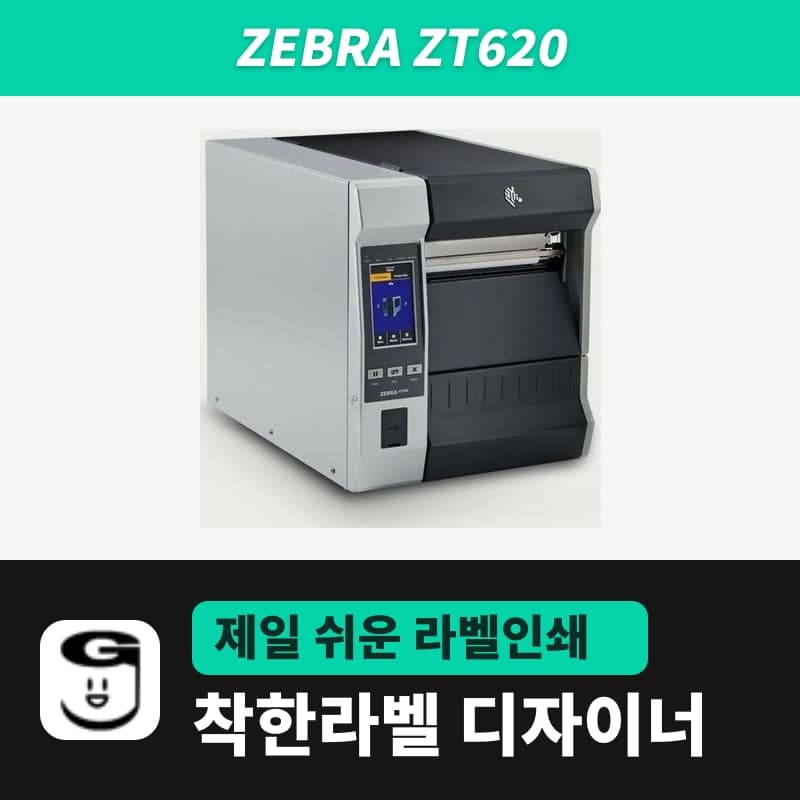
Zebra ZT620 label printer
Fitting a cutter to the ZT620 lowers the upper media thickness limit to 0.18 mm, so sites that use thick tags decide the output mode first. The ZT620 model in GoodLabel Designer has 203 and 300 DPI buttons, and a single piece of continuous media is set within the Designer's 1000 mm height limit.
- Print method
- Thermal transfer (ribbon) · direct thermal
- Resolution
- 203 dpi variant, 300 dpi variant
- Print speed
- 203 dpi 2–12 ips (up to 305 mm/s)
- Max print width
- 168 mm
- Max print length (continuous media)
- 300 dpi 2032 mm / 203 dpi 2032 mm (Technical Specifications, Spec Sheet) / 3810 mm (ZT600 User Guide)
- Media width
- 51–180 mm
Specifications
| Print method | Thermal transfer (ribbon) · direct thermal |
|---|---|
| Resolution | 203 dpi variant, 300 dpi variant |
| Print speed | 203 dpi 2–12 ips (up to 305 mm/s) |
| Max print width | 168 mm |
| Max print length (continuous media) | 300 dpi 2032 mm / 203 dpi 2032 mm (Technical Specifications, Spec Sheet) / 3810 mm (ZT600 User Guide) |
| Media width | 51–180 mm |
| Media thickness | With cutter 0.076–0.18 mm (Technical Specifications, User Guide; no cutter figure in the Spec Sheet) / without cutter up to 0.305 mm (Technical Specifications), 0.30 mm (User Guide), 0.25 mm (Spec Sheet, min 0.058 mm) |
| Min label length | Rewind 6 mm, peel 13 mm, tear-off 18 mm, cutter 38 mm |
| Media roll | Core 76 mm, outer diameter up to 203 mm |
| Gap and black mark requirements | Gap 2–4 mm (3 mm), black mark length 3–11 mm, width over 11 mm, within 1 mm of the inner edge |
| Ribbon | Up to 450 m, width 51–170 mm, core 25.4 mm, OD 81.3 mm, ink side out, 1 ribbon roll per 3 media rolls |
| Command language | ZPL, ZPL II |
| GoodLabel Designer model | ZT620 (ZPL, 203 / 300 dpi) |
| Dimensions and weight | 395.7 × 341.5 × 505 mm, 26 kg |
| Operating temperature | Thermal transfer 5–40°C, direct thermal 0–40°C |
Fitting a cutter to the ZT620 lowers the upper media thickness limit to 0.18 mm (ZT610/ZT620 Technical Specifications 03/2026, ZT600 User Guide). Sites that use thick tags first decide whether to fit a cutter or to use tear-off or rewind.
Min label length and thickness by output mode
| Output mode | Min label length |
|---|---|
| Rewind | 6 mm |
| Peel | 13 mm |
| Tear-off | 18 mm |
| Cutter | 38 mm |
The thickness limit without a cutter differs by document: 0.305 mm (ZT610/ZT620 Technical Specifications 03/2026), 0.30 mm (ZT600 User Guide) and 0.25 mm (ZT6 Spec Sheet 12/2025). Media 0.076–0.25 mm thick is within the range of all three documents (minimum thickness is 0.076 mm in the Technical Specifications and User Guide, 0.058 mm in the Spec Sheet).
A cutter cannot be fitted together with the rewind or peel unit, and the output mode is not in the Designer commands, so it is chosen in the unit's Settings > Print Mode. The detailed steps are the same as on the ZT411 page.
Setting wide labels and long continuous media in the Designer
- When you select the ZT620 model in the Printer settings window, two buttons, 203 DPI and 300 DPI, appear; click the one for your unit.
- Keep the label width within the 168 mm print width; the Designer rounds it up to a dot count in 8-dot steps and sends it in ^PW. On a 300 dpi unit, widths up to 167.9 mm are within the 1984-dot label width limit, and the calculation is the same as on the ZT421 page.
- The unit's limit for a single piece of continuous media is 2032 mm at 300 dpi, and at 203 dpi it differs by document: 2032 mm (Technical Specifications, Spec Sheet) and 3810 mm (ZT600 User Guide). Either way, the upper limit of the Designer label height field is 1000 mm, so for rolls set to Continuous media (^MNN), set the piece length within 1000 mm and split longer content across several pieces.
- The sensor requirements are a 2–4 mm gap for gap labels and 3–11 mm length and over 11 mm width for black marks; after changing rolls, send ~JC with Auto detect so the unit measures again.
ZT620 ribbon width and replacement interval
Ribbons are 51–170 mm wide, 450 m long, on a 25.4 mm core with an OD up to 81.3 mm, and ribbons wound ink side out are loaded on the standard spindle. One 450 m ribbon roll prints 3 media rolls, so change the ribbon once every three media roll changes.
Among the wax ribbon 300M variants, six from 60 mm to 110 mm fall within the ZT620's 51–170 mm ribbon width. Label rolls wider than 110 mm need a separate ribbon that is wider than the roll and 170 mm or less.
Compatible with GoodLabel Designer
You can design and print labels for this model with GoodLabel Designer, our free label software. GoodLabel Designer · User Guide
FAQ
- Does 180 mm wide media fit the ZT620 or the ZT421?
- The ZT620 takes media up to 180 mm wide, while the ZT421's upper limit is 178 mm in tear-off and cutter modes. Both models print 168 mm wide, so the design area is the same.
- What do I change in the Designer when loading a black mark roll on the ZT620?
- Change the media type in Printer settings to Black mark and ^MNM is sent, then send ~JC with the Detect black mark button below it so the unit measures the mark spacing. The mark size and position requirements are common to the ZT6 series and are the same as in the gap and black mark section of the ZT610 page.
- Can I choose the resolution in the Designer for the 300 dpi variant too?
- The ZT620 model has 203 DPI and 300 DPI buttons, so for the 300 dpi variant click 300 DPI. The ZT620 in the Designer list has no 600 DPI.
Drivers & manuals
How to buy
- In Korea, this product is sold through our Korean online store. Korean product page →
- Outside Korea, contact us by email. Email: Contact →
- Or buy from an authorized dealer in your country.
Other models in this category
 Good LabelGoodLabel 4B-2054NS direct thermal label printerThe GoodLabel 4B-2054NS is a direct thermal only 4-inch printer driven by GoodLabel Designer in TSPL; the Gap length field value goes into the GAP command as is. GoodLabel 4B-2054NS, W-4B-2054NS and Xprinter 4B-2054N in the model list are all TSPL at 203 dpi, so each sends the same commands.
 BixolonBixolon SLP-DX220 label printerThe SLP-DX220 is a Bixolon 2-inch direct thermal printer, 54mm print width, 203dpi, up to 6ips, rolls 15–60mm wide. Select SLP-DX220 (ZPL, 203dpi) in the GoodLabel Designer model list, and the Troubleshoot window skips the print method step and guides only saving the label type and Detect media.
 BixolonBixolon SLP-DX223 label printerA 2-inch direct thermal printer for dense text and QR codes on small labels 10–20mm tall, using the SLP-DX220 body with a head of about 11.8 dots per mm (print width 56.9mm, max 4ips). In the Designer model list it appears under its sales name, SLP-DX223, with a single ZPL, 300dpi setting.
 BixolonBixolon SLP-DX420 label printerThe SLP-DX420 is a Bixolon 4-inch direct thermal only printer, 108mm wide at 203dpi and up to 7ips, suited to printing many thermal labels such as 100×150mm shipping labels. In GoodLabel Designer, select SLP-DX420 (ZPL, 203dpi); copies of the same label go as one ^PQ quantity command.
 BixolonBixolon SLP-DX423 label printerFor the SLP-DX423, you must select the SLP-DX423 (ZPL, 300dpi) entry in GoodLabel Designer; if you send to the 203dpi SLP-DX420 entry, labels come out shrunk to about 68% of their size. The printer is a Bixolon 4-inch direct thermal only model with a 105.7mm print width and a max speed of 5ips.
 BixolonBixolon SLP-TX400 label printerIn the GoodLabel Designer Troubleshoot window, the print method step (thermal transfer or direct thermal) appears only when the Printer model field shows SLP-TX400. It is a Bixolon 4-inch thermal transfer and direct thermal printer (203dpi, 108mm, max 7ips); Designer entry: SLP-TX400 (ZPL, 203dpi).