
Godex · Label printers
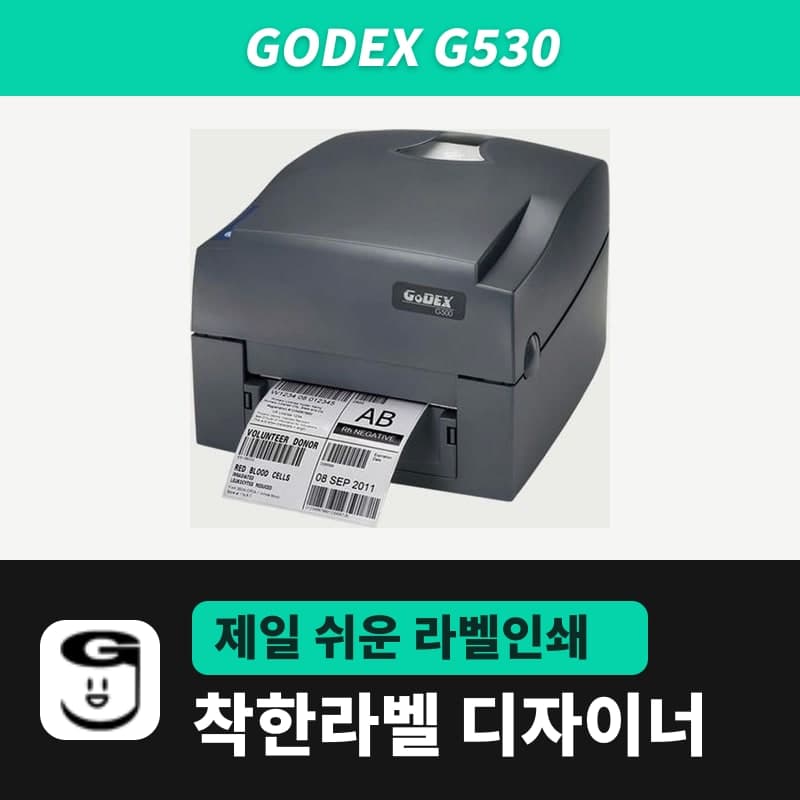
Godex G530 label printer
The Godex G530 is the 300dpi G500 series model, printing 12 dots per mm, also sold in packages with 30, 35 and 40mm care labels and 40mm care ribbon. In the G530 (EZPL, 300dpi) entry of GoodLabel Designer, strip width is set with ^W30 to ^W40, and strip rolls with Continuous media and Feed length.
- Print method
- Thermal transfer and direct thermal
- Resolution
- 300dpi (12 dots/mm)
- Max print speed
- 102mm/s (4ips)
- Max print width
- 105.7mm
- Print length
- 4-762mm
- Media
- Continuous, gap labels, black mark, punched tags; width 25.4-118mm, thickness 0.06-0.25mm
Specifications
| Print method | Thermal transfer and direct thermal |
|---|---|
| Resolution | 300dpi (12 dots/mm) |
| Max print speed | 102mm/s (4ips) |
| Max print width | 105.7mm |
| Print length | 4-762mm |
| Media | Continuous, gap labels, black mark, punched tags; width 25.4-118mm, thickness 0.06-0.25mm |
| Internal media roll | Up to 127mm outer diameter (200M care label rolls use an external holder) |
| Ribbon | Wax, wax-resin, resin; 300m; width 30-110mm; roll outer diameter 68mm; 1-inch core |
| Supplies used with it | Nylon cloth and satin care labels 30, 35, 40mm x 200M; care ribbon 40mm x 300M |
| Interfaces | USB 2.0, RS-232, Ethernet 10/100 (G530UES) |
| GoodLabel Designer model | G530 (EZPL, 300dpi) |
The Godex G530 is the 300dpi model in the G500 series, printing 12 dots per mm, and is supplied for printing the small care text on 30-40mm wide care labels. In GoodLabel Designer, choosing the G530 entry (EZPL, 300dpi) in the list sets 300 DPI directly, without resolution buttons.
Designer input by care label width
Enter the width of the care label strip as it is in the designer's label Width field. The Width field in the Printer settings window accepts 10mm and up, so 30, 35 and 40mm widths are all accepted, and they are also within the G530's media width of 25.4-118mm.
| Care label width | Width command sent on the first label of the job | Horizontal dots at 300dpi (rounded up) |
|---|---|---|
| 30mm | ^W30 | 355 dots |
| 35mm | ^W35 | 414 dots |
| 40mm | ^W40 | 473 dots |
The height is the length of one label attached to a garment. The G530's maximum length per label is 762mm, so even though the designer Height field goes up to 1000mm, keep it at 762mm or less. Washing, bleaching, drying and ironing symbols are included in US and European standards in the Care symbols tab of the Icons/marks window in the tool panel, so you can place them without image files. How to insert them is in the guide's Images · Icons/marks chapter.
Media type and feed length for strip rolls
- For a strip roll with no gap between labels, choose Continuous media as the media type. The G530 receives the ^Q[height],0,[feed] command, and the length in the Height field decides where each label is cut.
- The Feed length field (0-100mm, default 0) shown under Continuous media exists only for Godex entries; enter the margin to leave between prints in mm. The field is also labeled "Space between prints".
- For a roll of separate labels, choose Gap labels and enter the actual gap in the Gap length field.
Care label materials are printed by transferring ribbon ink, so leave the print method at Thermal transfer. ^AT is then sent on the first label of the job, and the G530 is stored in ribbon mode. Which EZPL command each remaining field becomes is listed in the G500 page table.
40mm care ribbon and G530 ribbon requirements
The G530 accepts ribbons 30-110mm wide, 300m long, with a 68mm roll outer diameter and a 1-inch core. The care ribbon used with care labels is 40mm x 300M, which fits this range and covers 30, 35 and 40mm strips.
A 200M care label roll is larger than the 127mm outer diameter limit for rolls inside the printer, so it is hung on an external holder. Because of this, the care label packages include a holder. The G530UES (built-in Ethernet) is sold as the printer alone, without care labels.
Compatible with GoodLabel Designer
You can design and print labels for this model with GoodLabel Designer, our free label software. GoodLabel Designer · User Guide
FAQ
- Do I have to change the G530 settings every time I change the length of a care label?
- Not when you use Gap labels or Continuous media. The designer sends a ^Q command with the new height on the first label of every print job, so if you change only the height field and print, the length stored in the G530 changes too. If you choose Black mark, ^Q is left out and the printer uses the reference it measured.
- What do I change to use thermal paper labels on the G530?
- Remove the ribbon, then click Direct thermal in the print method field. ^AD is sent on the first label of the next job, and the G530 is stored in direct thermal mode.
- Can I select 203 DPI as the resolution for the G530 entry?
- No. Only 300 DPI is registered for the G530 entry in the list, so no resolution buttons appear. For a 203dpi printer, use the G500 entry.
Drivers & manuals
How to buy
- In Korea, this product is sold through our Korean online store. Korean product page →
- Outside Korea, contact us by email. Email: Contact →
- Or buy from an authorized dealer in your country.
Other models in this category
 Good LabelGoodLabel 4B-2054NS direct thermal label printerThe GoodLabel 4B-2054NS is a direct thermal only 4-inch printer driven by GoodLabel Designer in TSPL; the Gap length field value goes into the GAP command as is. GoodLabel 4B-2054NS, W-4B-2054NS and Xprinter 4B-2054N in the model list are all TSPL at 203 dpi, so each sends the same commands.
 BixolonBixolon SLP-DX220 label printerThe SLP-DX220 is a Bixolon 2-inch direct thermal printer, 54mm print width, 203dpi, up to 6ips, rolls 15–60mm wide. Select SLP-DX220 (ZPL, 203dpi) in the GoodLabel Designer model list, and the Troubleshoot window skips the print method step and guides only saving the label type and Detect media.
 BixolonBixolon SLP-DX223 label printerA 2-inch direct thermal printer for dense text and QR codes on small labels 10–20mm tall, using the SLP-DX220 body with a head of about 11.8 dots per mm (print width 56.9mm, max 4ips). In the Designer model list it appears under its sales name, SLP-DX223, with a single ZPL, 300dpi setting.
 BixolonBixolon SLP-DX420 label printerThe SLP-DX420 is a Bixolon 4-inch direct thermal only printer, 108mm wide at 203dpi and up to 7ips, suited to printing many thermal labels such as 100×150mm shipping labels. In GoodLabel Designer, select SLP-DX420 (ZPL, 203dpi); copies of the same label go as one ^PQ quantity command.
 BixolonBixolon SLP-DX423 label printerFor the SLP-DX423, you must select the SLP-DX423 (ZPL, 300dpi) entry in GoodLabel Designer; if you send to the 203dpi SLP-DX420 entry, labels come out shrunk to about 68% of their size. The printer is a Bixolon 4-inch direct thermal only model with a 105.7mm print width and a max speed of 5ips.
 BixolonBixolon SLP-TX400 label printerIn the GoodLabel Designer Troubleshoot window, the print method step (thermal transfer or direct thermal) appears only when the Printer model field shows SLP-TX400. It is a Bixolon 4-inch thermal transfer and direct thermal printer (203dpi, 108mm, max 7ips); Designer entry: SLP-TX400 (ZPL, 203dpi).