
Toshiba · Label printers
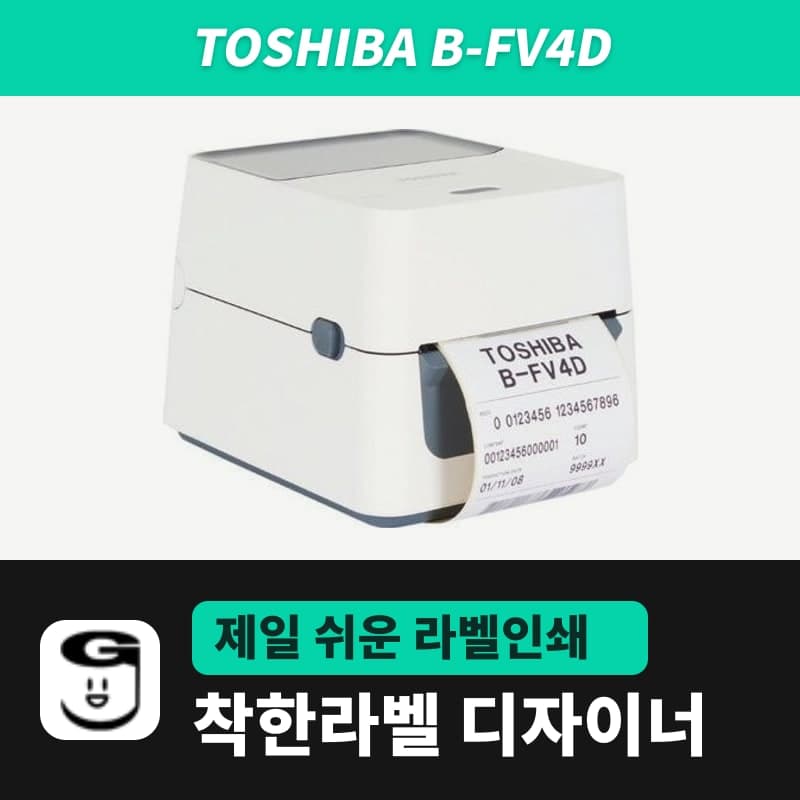
Toshiba B-FV4D label printer
The Toshiba B-FV4D is a 1.76kg direct thermal 4-inch printer whose 203dpi head prints 108mm wide at 152.4mm/s; it remembers the sensor used in the last job. Choose the B-FV4D-GS14 (TPCL, 203dpi) entry in GoodLabel Designer; resolution is set automatically; print via the Toshiba driver.
- Print method
- Direct thermal
- Resolution
- 203dpi (8 dots/mm)
- Print speed
- 50.8-152.4mm/s (2-6ips), up to 76.2mm/s in peel-off mode
- Max print width
- 108mm
- Label length
- 8-997mm (batch mode), media pitch 10-999mm
- Media width
- Including liner 25.4-118mm, label 22.4-115mm, thickness 0.06-0.19mm
Specifications
| Print method | Direct thermal |
|---|---|
| Resolution | 203dpi (8 dots/mm) |
| Print speed | 50.8-152.4mm/s (2-6ips), up to 76.2mm/s in peel-off mode |
| Max print width | 108mm |
| Label length | 8-997mm (batch mode), media pitch 10-999mm |
| Media width | Including liner 25.4-118mm, label 22.4-115mm, thickness 0.06-0.19mm |
| Media roll | Outer diameter 127mm (external stand 203.2mm), core 25.4, 38.1, 76.2mm (76.2mm requires the external stand shaft) |
| Sensors | See-through sensor (fixed 6.35mm right of center), reflective sensor (moves across the full width) |
| Gap and black mark | Gap and mark length 2-10mm, mark width 8mm or more |
| Control panel | LED1 and LED2 status lights, FEED button |
| Interfaces | USB 2.0, Ethernet 10/100 / RS-232C, parallel (factory option), wireless LAN, Bluetooth (option) |
| GoodLabel Designer model | B-FV4D-GS14 (TPCL, 203dpi), driver printing |
The Toshiba B-FV4D is a 1.76kg direct thermal 4-inch desktop printer whose 203dpi (GS) head prints 108mm wide at up to 152.4mm per second. The GoodLabel Designer list has a B-FV4D-GS14 entry (TPCL, 203dpi); choosing this entry sets the resolution automatically, and printing goes through the Toshiba Windows driver.
The three B-FV4D entries in the designer list
| Designer entry | Registered DPI buttons | When choosing for the sold 203dpi model (B-FV4D 203dpi) |
|---|---|---|
| B-FV4D-GS14 | 203 | Matches; DPI fixed automatically |
| B-FV4D-TS14 | 203 | Same DPI, so the result is the same |
| B-FV4D-GH14 | 300 | Do not choose (the image is drawn at 300dpi) |
For Toshiba entries, only the DPI button, not the name, affects the print result. For the B-FV4D 203dpi variant being sold, the GS14 entry matches in both name and resolution, so just choose it. How Toshiba entries print through the driver and the principle for choosing a substitute entry are collected on the BA420T page.
How the sensor selection stays in the printer
The B-FV4D's see-through (gap) sensor is fixed 6.35mm to the right of the media center, and the reflective (black mark) sensor moves across the full media width. The printer remembers the sensor used in the last print job and keeps using it; the factory setting is the gap sensor. So if you set Sensor on the Stock tab of the Toshiba driver to match the roll and print once, jobs from then on print with that sensor.
- When you change the roll type, turn the power off, then turn it on while holding FEED.
- While the lights change in the order orange, green, then other colors, release FEED when LED1 is green and LED2 is red for the gap sensor, or when LED1 is green and LED2 is orange for the black mark sensor.
- Press FEED once more to feed media and adjust the sensor, then turn the power off and on to return online.
When measuring, load the roll so that preprinted areas are not over the sensor. The gap between labels and the black mark length must be 2-10mm, and the black mark width must be 8mm or more to be read.
B-FV4 status by LED1 and LED2 color
| LED1 | LED2 | Status | Action |
|---|---|---|---|
| Green | Off | Standby | Normal |
| Green, fast blink | Off | Communicating with the PC | Normal |
| Green, slow blink | Off | Paused | Press FEED to continue printing |
| Red | Orange, fast blink | Head temperature above the upper limit | Let it cool until LED1 turns green |
| Red | Green | RS-232C communication error | Restart with FEED or turn the power off and on |
| Orange | Red | Media ran out | Load a new roll and press FEED |
| Orange | Green | Media jam | Remove the jammed media, reload it, then press FEED |
| Red | Red, medium blink | Issue or feed attempted with the head block open | Close the head block and press FEED |
| Red | Green, fast blink | Media jam in the cutter (with cutter installed) | Remove the jammed media, reload it, then press FEED |
| Red | Orange, medium blink | Head damaged | Turn the power off and request repair |
| Off | Off | Power off, or head block opened with the power on | Turn the power on or close the head block |
Blink intervals are 2 seconds for slow, 1 second for medium and 0.5 seconds for fast. The thermal transfer and direct thermal model of the same B-FV4 family adds one more indication for ribbon out, described separately on the B-FV4T page.
Compatible with GoodLabel Designer
You can design and print labels for this model with GoodLabel Designer, our free label software. GoodLabel Designer · User Guide
FAQ
- How many dots is a 100x150mm parcel shipping label on the B-FV4D?
- With the B-FV4D-GS14 entry (203dpi), 100x150mm is drawn as an image 800 dots wide and 1,199 dots high. The 100mm width is within the 108mm print width, so the edges are not cut off.
- Can I use label rolls wound inside?
- Inside-wound rolls can be loaded only with a 38.1mm or 76.2mm core, and they accept a media pitch up to 999mm in batch mode. In peel-off and cutter modes, the pitch is reduced to 86.2mm and 82.2mm respectively.
- I changed the sensor in the Toshiba driver, and the first label is shifted.
- The B-FV4D remembers the sensor from the last job, so print once with the new sensor, then redo the sensor measurement for the roll by turning the power on while holding FEED. When measurement is done, turn the power off and on to return online.
Drivers & manuals
How to buy
- In Korea, this product is sold through our Korean online store. Korean product page →
- Outside Korea, contact us by email. Email: Contact →
- Or buy from an authorized dealer in your country.
Other models in this category
 Good LabelGoodLabel 4B-2054NS direct thermal label printerThe GoodLabel 4B-2054NS is a direct thermal only 4-inch printer driven by GoodLabel Designer in TSPL; the Gap length field value goes into the GAP command as is. GoodLabel 4B-2054NS, W-4B-2054NS and Xprinter 4B-2054N in the model list are all TSPL at 203 dpi, so each sends the same commands.
 BixolonBixolon SLP-DX220 label printerThe SLP-DX220 is a Bixolon 2-inch direct thermal printer, 54mm print width, 203dpi, up to 6ips, rolls 15–60mm wide. Select SLP-DX220 (ZPL, 203dpi) in the GoodLabel Designer model list, and the Troubleshoot window skips the print method step and guides only saving the label type and Detect media.
 BixolonBixolon SLP-DX223 label printerA 2-inch direct thermal printer for dense text and QR codes on small labels 10–20mm tall, using the SLP-DX220 body with a head of about 11.8 dots per mm (print width 56.9mm, max 4ips). In the Designer model list it appears under its sales name, SLP-DX223, with a single ZPL, 300dpi setting.
 BixolonBixolon SLP-DX420 label printerThe SLP-DX420 is a Bixolon 4-inch direct thermal only printer, 108mm wide at 203dpi and up to 7ips, suited to printing many thermal labels such as 100×150mm shipping labels. In GoodLabel Designer, select SLP-DX420 (ZPL, 203dpi); copies of the same label go as one ^PQ quantity command.
 BixolonBixolon SLP-DX423 label printerFor the SLP-DX423, you must select the SLP-DX423 (ZPL, 300dpi) entry in GoodLabel Designer; if you send to the 203dpi SLP-DX420 entry, labels come out shrunk to about 68% of their size. The printer is a Bixolon 4-inch direct thermal only model with a 105.7mm print width and a max speed of 5ips.
 BixolonBixolon SLP-TX400 label printerIn the GoodLabel Designer Troubleshoot window, the print method step (thermal transfer or direct thermal) appears only when the Printer model field shows SLP-TX400. It is a Bixolon 4-inch thermal transfer and direct thermal printer (203dpi, 108mm, max 7ips); Designer entry: SLP-TX400 (ZPL, 203dpi).