
Toshiba · Label printers
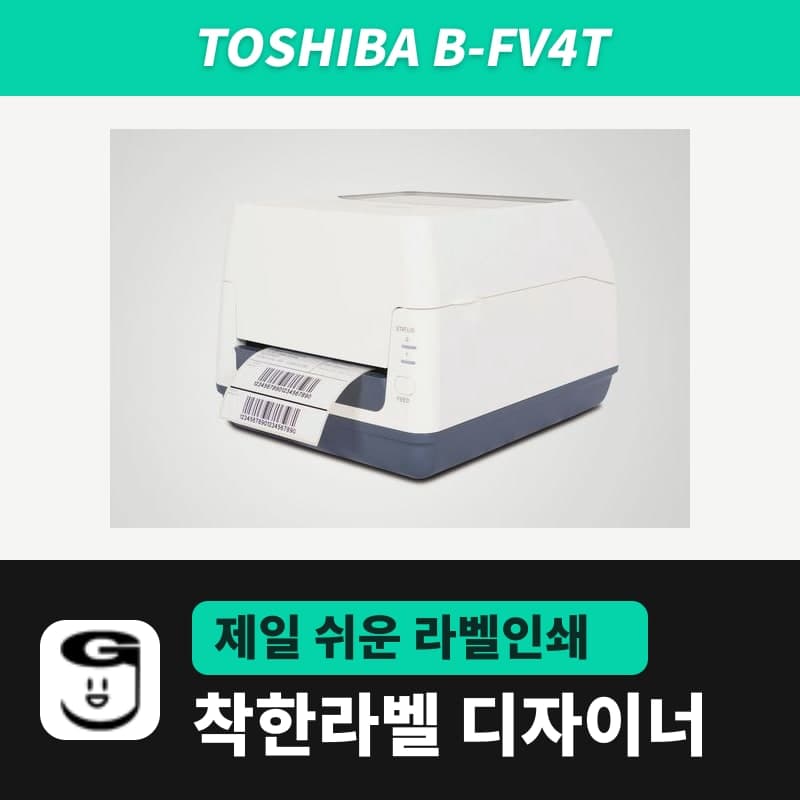
Toshiba B-FV4T label printer
The Toshiba B-FV4T is a 4-inch desktop printer that switches between thermal transfer and direct thermal by ribbon presence, sold as GS (203dpi) and TS (300dpi). GoodLabel Designer lists TS14=203 and GH14=300, the reverse of Toshiba's documents, so choose GS14 for GS and GH14 (300 DPI) for TS.
- Models
- B-FV4T-GS (203dpi) / B-FV4T-TS (300dpi)
- Print method
- Thermal transfer and direct thermal
- Max print speed
- GS 152.4mm/s (6ips) / TS 101.6mm/s (4ips)
- Max print width
- GS 108mm / TS 105.7mm
- Max label length
- Spec sheet: GS 995mm, TS 453.2mm / user manual media table: label 8-997mm
- Media width
- Including liner 25.4-118mm, label 22.4-115mm, thickness 0.06-0.19mm
Specifications
| Models | B-FV4T-GS (203dpi) / B-FV4T-TS (300dpi) |
|---|---|
| Print method | Thermal transfer and direct thermal |
| Max print speed | GS 152.4mm/s (6ips) / TS 101.6mm/s (4ips) |
| Max print width | GS 108mm / TS 105.7mm |
| Max label length | Spec sheet: GS 995mm, TS 453.2mm / user manual media table: label 8-997mm |
| Media width | Including liner 25.4-118mm, label 22.4-115mm, thickness 0.06-0.19mm |
| Media roll | Outer diameter 127mm (external stand 203.2mm), core 25.4, 38.1, 76.2mm (76.2mm requires the external stand shaft) |
| Ribbon | Width 40-110mm, up to 300m, outer diameter 65mm, core 12.7, 25.4mm, ink side out |
| Sensors | See-through sensor (fixed 6.35mm right of center), reflective sensor (moves across the full width) |
| Printer language | TPCL; ZPL II, EPL2, DPL, IPL emulation (203dpi only) |
| Interfaces | USB 2.0, Ethernet 10/100 / RS-232C, parallel (factory option), wireless LAN, Bluetooth (option) |
| GoodLabel Designer model | GS: B-FV4T-GS14 (TPCL, 203dpi) / TS: B-FV4T-GH14 (TPCL, registered as 300dpi), driver printing |
The Toshiba B-FV4T is a 4-inch desktop printer that prints thermal transfer with a ribbon loaded and direct thermal without one. Sold variants: B-FV4T-GS (203dpi) and B-FV4T-TS (300dpi). The GoodLabel Designer v3.3.22 list registers B-FV4T-TS14 as 203dpi and B-FV4T-GH14 as 300dpi, so both entries are the opposite of Toshiba's documents (TS 300dpi, GH 203dpi). For the TS variant, therefore, choose based on the entry that has the 300 DPI button, not the name.
Designer entry to choose for the GS and TS variants
| Variant | Head | Designer entry to choose | DPI to click |
|---|---|---|---|
| B-FV4T-GS (203dpi) | 8 dots/mm | B-FV4T-GS14 | 203 (fixed automatically) |
| B-FV4T-TS (300dpi) | 11.8 dots/mm | B-FV4T-GH14 | 300 (fixed automatically) |
The B-FV4T-TS14 entry in the list has only a 203 DPI button, and the B-FV4T-GH14 entry, named GH, has 300 DPI (by the Toshiba B-FV4D-GH user manual, the GH model itself is 203dpi). If you choose the TS14 entry for a TS printer, the label is drawn as an image with 8 dots per mm and the 12-dot spacing of the 300dpi head is not used, so regardless of the name, choose the GH14 entry to draw at 300 DPI. The principle that only the DPI and whether the entry prints through the driver affect the result, not the name, is explained on the BA420T page.
Label length of the TS variant
The maximum length per label differs by source. By the B-FV4T spec sheet (2021), GS is 995mm and TS is 453.2mm; by the media table in the B-FV4T user manual (EO1-33096), label length is 8-997mm without distinction by resolution. The designer Height field accepts up to 1000mm, so when printing labels longer than 453.2mm on the TS, test print one label first to see that it comes out to the end.
GS prints up to 152.4mm per second (6ips) and TS up to 101.6mm (4ips), and the speed is set in Print Speed on the Stock tab of the Toshiba driver.
Ribbon requirements and ribbon-out indication
- Ribbons are 40-110mm wide, up to 65mm outer diameter, with a core inner diameter of 12.7mm or 25.4mm, and the ink side must be out. Length is up to 300m and varies with ribbon thickness and core outer diameter.
- The ribbon must not be narrower than the media, and if the width difference is too large, it wrinkles. GoodLabel wax ribbon 300M is wound ink side out and comes in 8 widths from 40-110mm, so choose a width wider than the label liner.
- With a ribbon loaded, set Print Method on the Stock tab of the Toshiba driver to Thermal transfer; with only thermal paper loaded, set it to Direct thermal.
When the ribbon runs out, LED1 and LED2 both light orange; load a new ribbon and press FEED to continue printing. However, for labels with a media pitch shorter than 30mm, the printer sometimes cannot detect ribbon out even when no ribbon is loaded at all, so when printing small labels such as 30x20mm by thermal transfer, first check by eye that a ribbon is loaded. The other LED color combinations are the same as the direct thermal sibling model and are collected in the status table on the B-FV4D page.
Compatible with GoodLabel Designer
You can design and print labels for this model with GoodLabel Designer, our free label software. GoodLabel Designer · User Guide
FAQ
- I have a TS printer but chose the B-FV4T-TS14 entry. What changes?
- That entry has only 203 DPI, so the label is passed to the driver as an image with 8 dots per mm. The print size is the same because it is based on mm, but the detail of the 300dpi head is not used, so change to the B-FV4T-GH14 entry in Printer settings to draw at 300 DPI.
- How do I set up a B-FV4T again in the designer after changing its resolution with a separately sold head?
- The B-FV4T takes 203dpi and 300dpi heads as separately sold replacement parts. After changing the head, choose the entry again in Printer settings to match the new head, B-FV4T-GS14 (203) or B-FV4T-GH14 (300), and barcode widths are also calculated for the new resolution.
- I am printing small labels, and no error appears even without a ribbon.
- If the media pitch is shorter than 30mm, the printer sometimes cannot detect that no ribbon is loaded. When sending as thermal transfer, check yourself that the driver Print Method is Thermal transfer and that a ribbon is loaded.
Drivers & manuals
How to buy
- In Korea, this product is sold through our Korean online store. Korean product page →
- Outside Korea, contact us by email. Email: Contact →
- Or buy from an authorized dealer in your country.
Other models in this category
 Good LabelGoodLabel 4B-2054NS direct thermal label printerThe GoodLabel 4B-2054NS is a direct thermal only 4-inch printer driven by GoodLabel Designer in TSPL; the Gap length field value goes into the GAP command as is. GoodLabel 4B-2054NS, W-4B-2054NS and Xprinter 4B-2054N in the model list are all TSPL at 203 dpi, so each sends the same commands.
 BixolonBixolon SLP-DX220 label printerThe SLP-DX220 is a Bixolon 2-inch direct thermal printer, 54mm print width, 203dpi, up to 6ips, rolls 15–60mm wide. Select SLP-DX220 (ZPL, 203dpi) in the GoodLabel Designer model list, and the Troubleshoot window skips the print method step and guides only saving the label type and Detect media.
 BixolonBixolon SLP-DX223 label printerA 2-inch direct thermal printer for dense text and QR codes on small labels 10–20mm tall, using the SLP-DX220 body with a head of about 11.8 dots per mm (print width 56.9mm, max 4ips). In the Designer model list it appears under its sales name, SLP-DX223, with a single ZPL, 300dpi setting.
 BixolonBixolon SLP-DX420 label printerThe SLP-DX420 is a Bixolon 4-inch direct thermal only printer, 108mm wide at 203dpi and up to 7ips, suited to printing many thermal labels such as 100×150mm shipping labels. In GoodLabel Designer, select SLP-DX420 (ZPL, 203dpi); copies of the same label go as one ^PQ quantity command.
 BixolonBixolon SLP-DX423 label printerFor the SLP-DX423, you must select the SLP-DX423 (ZPL, 300dpi) entry in GoodLabel Designer; if you send to the 203dpi SLP-DX420 entry, labels come out shrunk to about 68% of their size. The printer is a Bixolon 4-inch direct thermal only model with a 105.7mm print width and a max speed of 5ips.
 BixolonBixolon SLP-TX400 label printerIn the GoodLabel Designer Troubleshoot window, the print method step (thermal transfer or direct thermal) appears only when the Printer model field shows SLP-TX400. It is a Bixolon 4-inch thermal transfer and direct thermal printer (203dpi, 108mm, max 7ips); Designer entry: SLP-TX400 (ZPL, 203dpi).