
TSC · Label printers
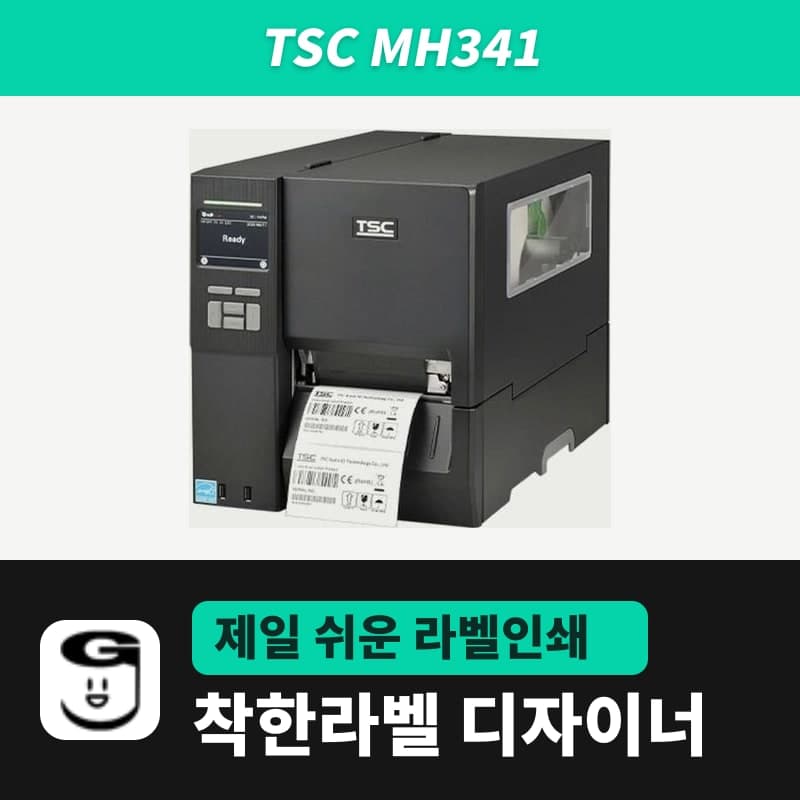
TSC MH341 label printer
The MH341 is the 300 dpi model in the TSC MH241 series, printing 12 dots per mm. GoodLabel Designer has no MH341 entry, so select MH340, a 300 dpi TSPL entry; if you select a 203 or 600 entry, the printed image shrinks to about 68% or doubles in size.
- Resolution
- 300 dpi (12 dots/mm)
- Print method
- Thermal transfer and direct thermal
- Max print speed
- 305 mm/s (12 ips), panel setting 2–12 (factory 4)
- Max print width
- 104 mm
- Max print length
- 11,430 mm
- Media width and thickness
- 20–114 mm, 0.06–0.28 mm
Specifications
| Resolution | 300 dpi (12 dots/mm) |
|---|---|
| Print method | Thermal transfer and direct thermal |
| Max print speed | 305 mm/s (12 ips), panel setting 2–12 (factory 4) |
| Max print width | 104 mm |
| Max print length | 11,430 mm |
| Media width and thickness | 20–114 mm, 0.06–0.28 mm |
| Media types | Continuous, die-cut, black mark (bottom or top selectable), fan-fold, notched, perforated, tag, care label (wound outside) |
| Media roll | 203.2 mm outer diameter, 38.1 mm and 76.2 mm cores |
| Black mark sensor | Bottom/top switchable, adjustable position, factory set to Back side |
| Ribbon | 600 m, outer diameter 90 mm or less, 1-inch core, ink side out or in, width 25.4–114.3 mm |
| Printer language | TSPL-EZD (EPL, ZPL, ZPL II, DPL compatible) |
| Interfaces | RS-232, USB 2.0, Ethernet 10/100 Mbps, two front USB host ports |
| Model to select in GoodLabel Designer | MH340 (TSPL, 300 dpi) — no MH341 entry in the list |
| Dimensions and weight | 276×326×502 mm, 15.35 kg |
The MH341 is the model in the TSC MH241 series that prints 12 dots per mm (300 dpi), so in GoodLabel Designer too, the first step is setting the resolution to exactly 300. The name MH341 is not in the Designer v3.3.22 list; MH340, the 300 dpi TSPL entry in the same MH series, takes that role.
Output size depends on the model entry you select
The Designer uses the resolution of the selected entry to decide how many dots to draw per mm, and sends that dot image with the BITMAP command. The MH341 prints the dots it receives at 12 dots/mm spacing, so if the entry's resolution is not 300, the image size is off from the start.
| Entry selected in the Designer | Dots drawn per 1 mm | MH341 output |
|---|---|---|
| MH340 (300 DPI) | About 11.8 dots | Same size as created on screen |
| 203 DPI entries such as MH240 and TE210 | About 8 dots | Image shrinks to about 68% of the size |
| MH640 (600 DPI) | About 23.6 dots | Image grows to about twice the size and exceeds the 104 mm print width |
The label size is carried in mm in the SIZE command, so the feed length is correct with any entry. That is why, if labels come out one at a time correctly but only the content looks small or cut off, suspect the entry's resolution first.
The name MH341 is not recognized automatically, so enter MH34 in the printer model search and click MH340. This entry has only one resolution, 300, so 300 DPI is set as soon as you select it.
Handling barcodes and small text at 300 dpi
A single 300 dpi dot is about 0.085 mm, smaller than at 203 dpi (about 0.125 mm). When you change the resolution in the Designer, the bar widths of all barcodes and 2D module sizes are recalculated for the new resolution, so after moving a document made at 203 dpi to the MH340 entry, read a test-printed barcode once with a scanner.
The MH341 speed range is 2–12, with a factory setting of 4. The speed in the Designer's Print window (default 3, max 10) replaces this setting through the SPEED command, so if small text bleeds, lower the speed in the Print window and adjust the density (0–15, default 11) one step at a time.
Loading black mark and care label media
The MH341 accepts continuous, die-cut, fan-fold, notched, perforated and tag media and care labels wound outside, as well as media with black marks on the back or the front. The black mark sensor is bottom/top switchable, and BMark Transmitter in the panel's Sensor menu is factory set to Back side, so for a roll with marks printed on the front, change this item first.
On the Designer side, setting the media type to Black mark sends the BLINE 3 mm,0 mm command; for gap labels, the number in the Gap length field is sent as the GAP command; and for continuous media without separation such as tags, GAP 0 mm is sent. When you load a new black mark roll, send AUTODETECT with Detect black mark in Printer settings, then turn the MH341 off and on.
The ribbon is accepted as a 600 m roll on a 1-inch core up to 90 mm in outer diameter, 25.4–114.3 mm wide, with the ink side either out or in. The 300 m variant of the GoodLabel wax ribbon, 40–110 mm wide, meets this width condition.
Causes of faint or missing print
When print quality on the MH341 is poor, there are six possible causes.
- If the ribbon or media is loaded incorrectly, load it again.
- If there is dust or adhesive on the print head or platen roller, text breaks up, so clean both and do another test print.
- If the density is wrong, adjust Density and Speed together in the Designer's Print window.
- Check whether head elements are damaged by looking for missing dots in the self-test print pattern.
- If the ribbon and media combination does not match, change one of them.
- If the head pressure is wrong, set the head pressure adjustment knob to the media width.
See the Printing chapter of the guide for how to use the Designer's Print window and Troubleshoot window, and the Barcode chapter for barcode width recalculation.
Compatible with GoodLabel Designer
You can design and print labels for this model with GoodLabel Designer, our free label software. GoodLabel Designer · User Guide
FAQ
- Labels come out correctly, but text and barcodes print small.
- If the Designer printer model is set to a 203 DPI entry, the MH341 prints an image drawn at about 8 dots per mm at 12 dots/mm, making it about 68% of the size. Change the printer model to MH340 (300 DPI).
- How do I move a 203 dpi document saved for the MH241 to the MH341?
- A .glb file opens with the printer model and resolution it was saved with, so after opening it, change the model to MH340 in Printer settings to switch to 300 DPI. Barcode widths and module sizes are then recalculated for 300 dpi, so do a test print and scan it.
- How do I use a roll with black marks printed on the front of the labels?
- Change BMark Transmitter in the panel's Sensor menu to the front sensor, then set the Designer media type to Black mark and run Detect black mark. After detection, turn the power off and on.
Drivers & manuals
How to buy
- In Korea, this product is sold through our Korean online store. Korean product page →
- Outside Korea, contact us by email. Email: Contact →
- Or buy from an authorized dealer in your country.
Other models in this category
 Good LabelGoodLabel 4B-2054NS direct thermal label printerThe GoodLabel 4B-2054NS is a direct thermal only 4-inch printer driven by GoodLabel Designer in TSPL; the Gap length field value goes into the GAP command as is. GoodLabel 4B-2054NS, W-4B-2054NS and Xprinter 4B-2054N in the model list are all TSPL at 203 dpi, so each sends the same commands.
 BixolonBixolon SLP-DX220 label printerThe SLP-DX220 is a Bixolon 2-inch direct thermal printer, 54mm print width, 203dpi, up to 6ips, rolls 15–60mm wide. Select SLP-DX220 (ZPL, 203dpi) in the GoodLabel Designer model list, and the Troubleshoot window skips the print method step and guides only saving the label type and Detect media.
 BixolonBixolon SLP-DX223 label printerA 2-inch direct thermal printer for dense text and QR codes on small labels 10–20mm tall, using the SLP-DX220 body with a head of about 11.8 dots per mm (print width 56.9mm, max 4ips). In the Designer model list it appears under its sales name, SLP-DX223, with a single ZPL, 300dpi setting.
 BixolonBixolon SLP-DX420 label printerThe SLP-DX420 is a Bixolon 4-inch direct thermal only printer, 108mm wide at 203dpi and up to 7ips, suited to printing many thermal labels such as 100×150mm shipping labels. In GoodLabel Designer, select SLP-DX420 (ZPL, 203dpi); copies of the same label go as one ^PQ quantity command.
 BixolonBixolon SLP-DX423 label printerFor the SLP-DX423, you must select the SLP-DX423 (ZPL, 300dpi) entry in GoodLabel Designer; if you send to the 203dpi SLP-DX420 entry, labels come out shrunk to about 68% of their size. The printer is a Bixolon 4-inch direct thermal only model with a 105.7mm print width and a max speed of 5ips.
 BixolonBixolon SLP-TX400 label printerIn the GoodLabel Designer Troubleshoot window, the print method step (thermal transfer or direct thermal) appears only when the Printer model field shows SLP-TX400. It is a Bixolon 4-inch thermal transfer and direct thermal printer (203dpi, 108mm, max 7ips); Designer entry: SLP-TX400 (ZPL, 203dpi).