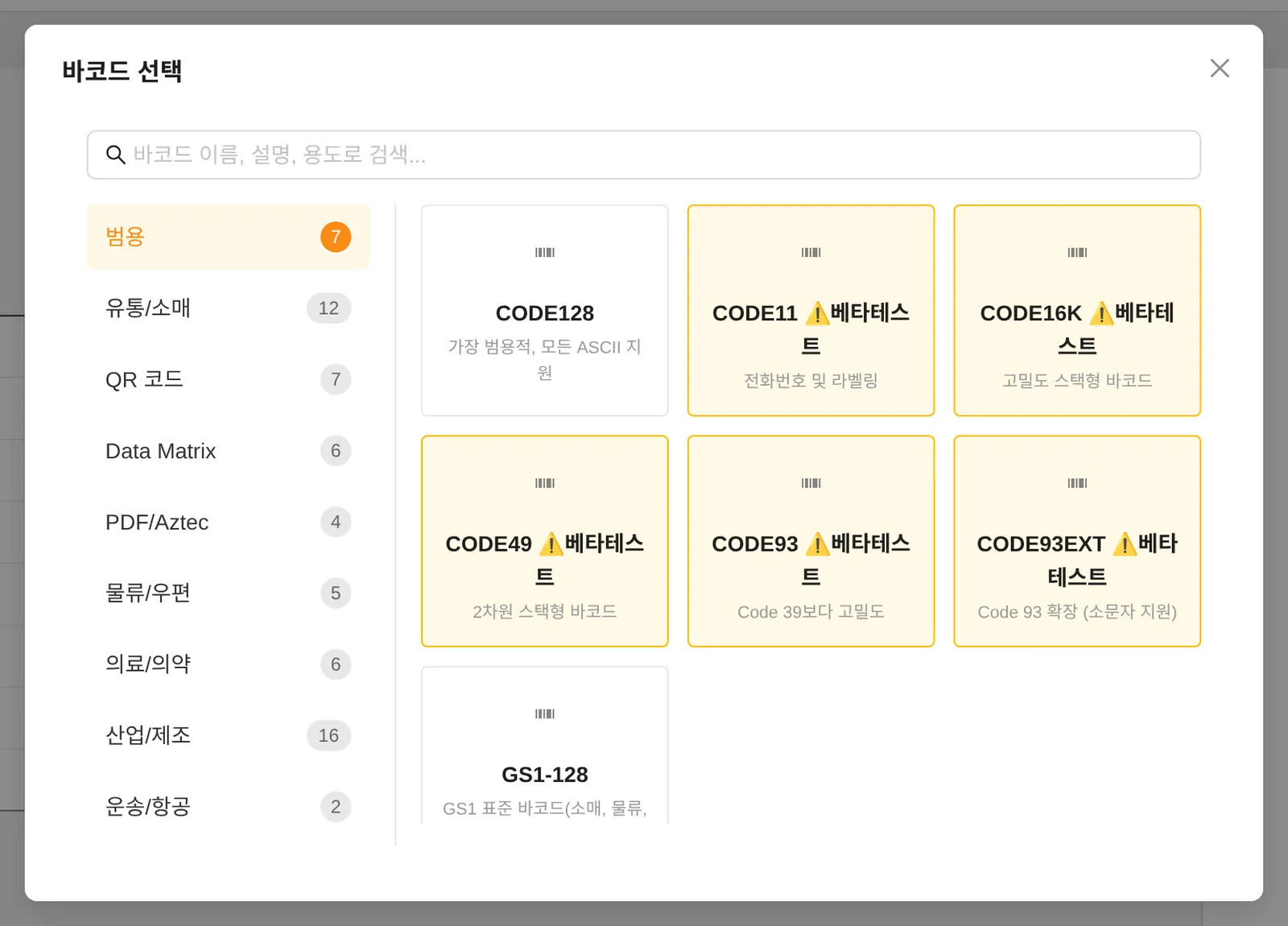
69 is the number of items in the actual selection menu. It includes beta items as well as both legacy-compatible and improved NEW variants, so it is not the same as the number of distinct international standards.
You can create 1D/2D barcodes such as CODE128, EAN13, QR, Data Matrix, GS1 and Food QR. Beta items are also included in the supported list. After printing, check that the barcodes read correctly with the scanner you actually use.
| Type | Selection item | Status |
|---|---|---|
| 1D | CODE128 | Standard |
| 1D | CODE128_LEGACY | Standard |
| 1D | CODE39 | Standard |
| 1D | CODE39(NEW) | Beta |
| 1D | EAN13(NEW) | Beta |
| 1D | EAN13 | Standard |
| 1D | EAN8 | Beta |
| 1D | UPC | Beta |
| 1D | ITF14 | Beta |
| 1D | CODE11 | Beta |
| 1D | CODE16K | Beta |
| 1D | CODE2OF5 | Beta |
| 1D | CODE32 | Beta |
| 1D | CODE39EXT | Beta |
| 1D | CODE49 | Beta |
| 1D | CODE93 | Beta |
| 1D | CODE93EXT | Beta |
| 1D | CODABAR | Beta |
| 1D | CHANNELCODE | Beta |
| 1D | COOP2OF5 | Beta |
| 1D | DATALOGIC2OF5 | Beta |
| 1D | EAN2 | Beta |
| 1D | EAN5 | Beta |
| 1D | EAN14 | Beta |
| 1D | GS1_128(NEW) | Beta |
| 1D | GS1-128 | Standard |
| 1D | IATA2OF5 | Beta |
| 1D | IDENTCODE | Beta |
| 1D | INDUSTRIAL2OF5 | Beta |
| 1D | INTERLEAVED2OF5 | Beta |
| 1D | ISBN | Beta |
| 1D | ISMN | Beta |
| 1D | ISSN | Beta |
| 1D | LEITCODE | Beta |
| 1D | MATRIX2OF5 | Beta |
| 1D | MSI | Beta |
| 1D | PHARMACODE | Beta |
| 1D | PHARMACODE2 | Beta |
| 1D | PLESSEY | Beta |
| 1D | PZN | Beta |
| 1D | SSCC18 | Beta |
| 1D | SYMBOL | Beta |
| 1D | TELEPEN | Beta |
| 1D | TELEPENNUMERIC | Beta |
| 1D | UPCA | Beta |
| 1D | UPCE | Beta |
| 1D | RAW | Beta |
| 2D | QR Code | Standard |
| 2D | Micro QR Code | Standard |
| 2D | Swiss QR Code | Beta |
| 2D | DATAMATRIX(NEW) | Beta |
| 2D | GS1DATAMATRIX(NEW) | Beta |
| 2D | Data Matrix | Standard |
| 2D | Data Matrix Rectangular | Beta |
| 2D | Data Matrix Rectangular Extension | Beta |
| 2D | Aztec Code | Standard |
| 2D | Compact Aztec Code | Standard |
| 2D | PDF417 | Beta |
| 2D | MicroPDF417 | Beta |
| 2D | MaxiCode | Beta |
| 2D | Han Xin Code | Beta |
| 2D | DotCode | Beta |
| 2D | Code One | Beta |
| 2D | GS1 QR Code | Standard |
| 2D | GS1 Data Matrix | Standard |
| 2D | GS1 Data Matrix Rectangular | Beta |
| 2D | GS1 Digital Link Data Matrix | Beta |
| 2D | GS1 Digital Link QR Code | Beta |
| 2D | Food QR(푸드큐알) | Standard |
Click Barcode in the left tool panel to open a list of commonly used barcodes.
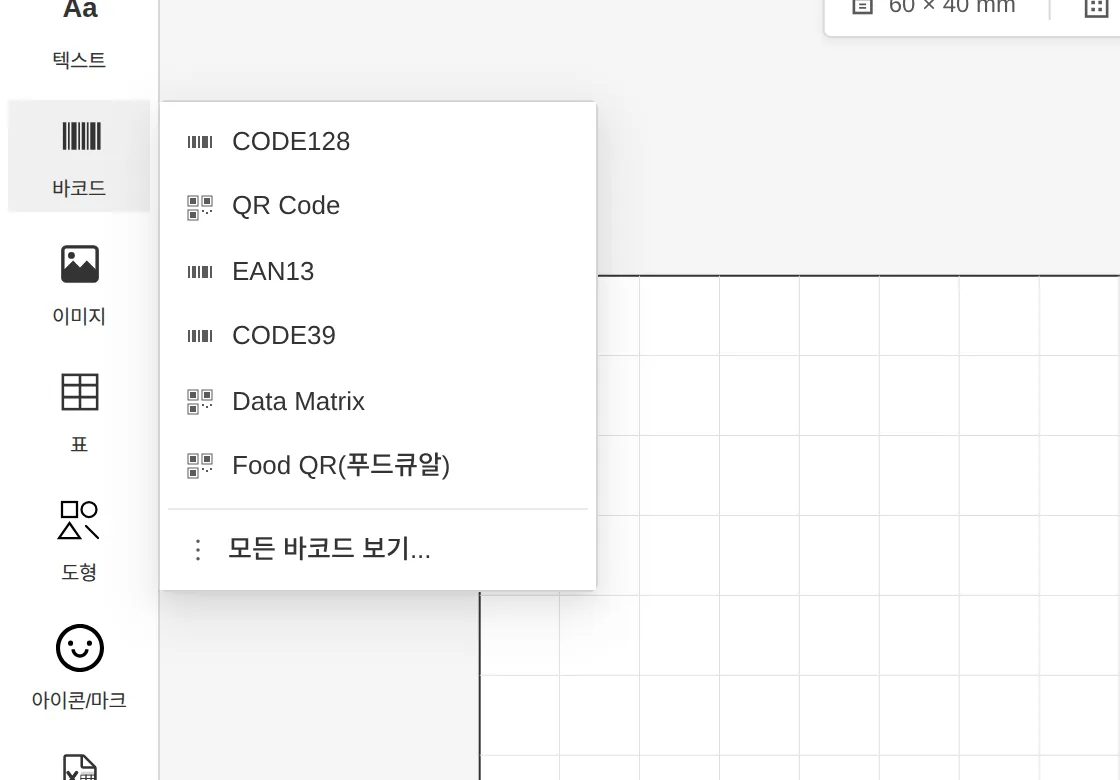
Full barcode list
Entering values and adjusting size
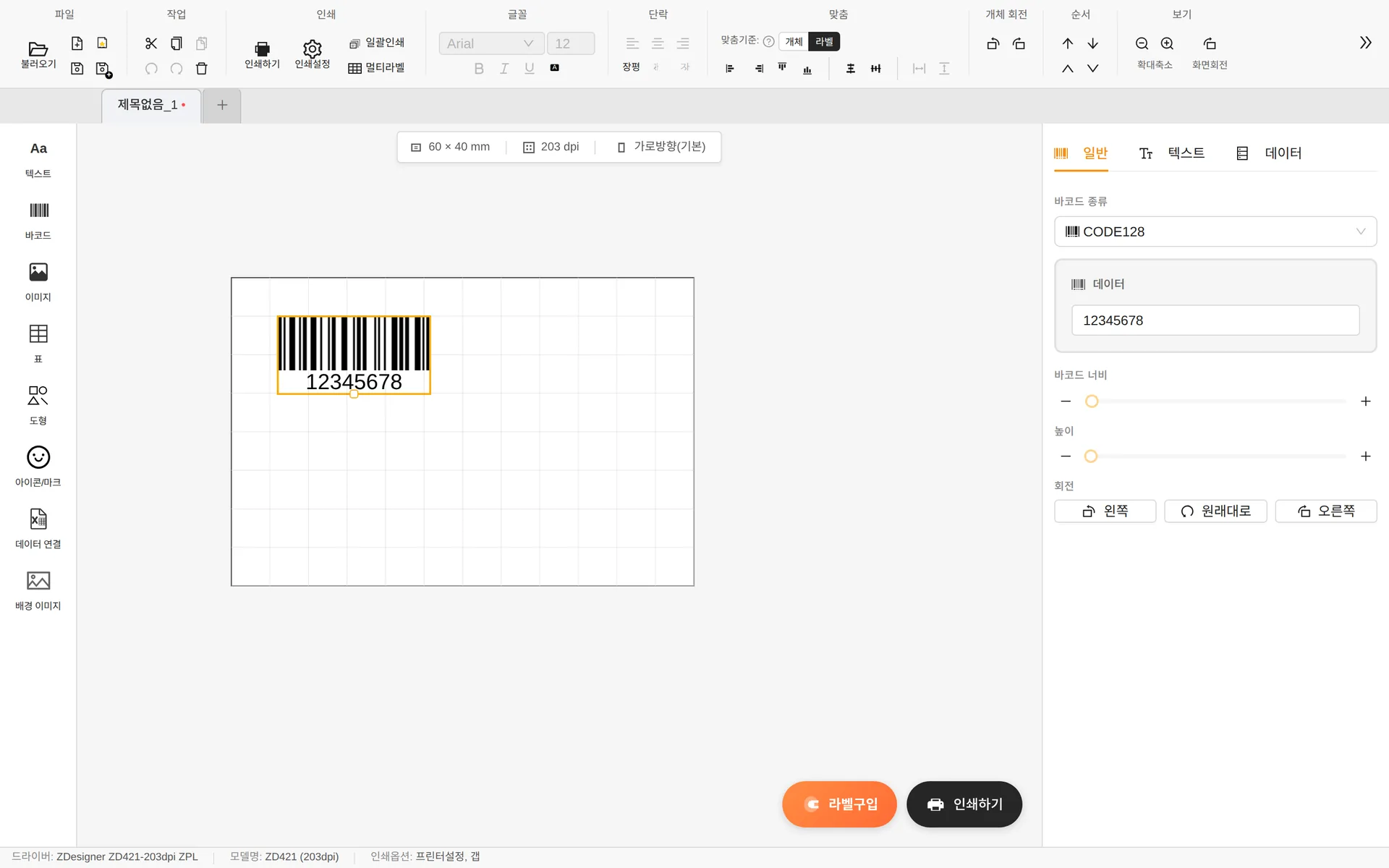
- Barcode type — Search to switch directly to a different type.
- Data — The value encoded in the barcode. EAN13 accepts only 13 digits, EAN8 only 8 digits and UPC-A only 12 digits; a warning appears if the value doesn't match.
- Barcode width — Adjusts bar thickness (module) in printer dots / Height — 5–100 mm
- Barcode values are entered only in the properties panel, not by double-clicking.
Text tab — human-readable text
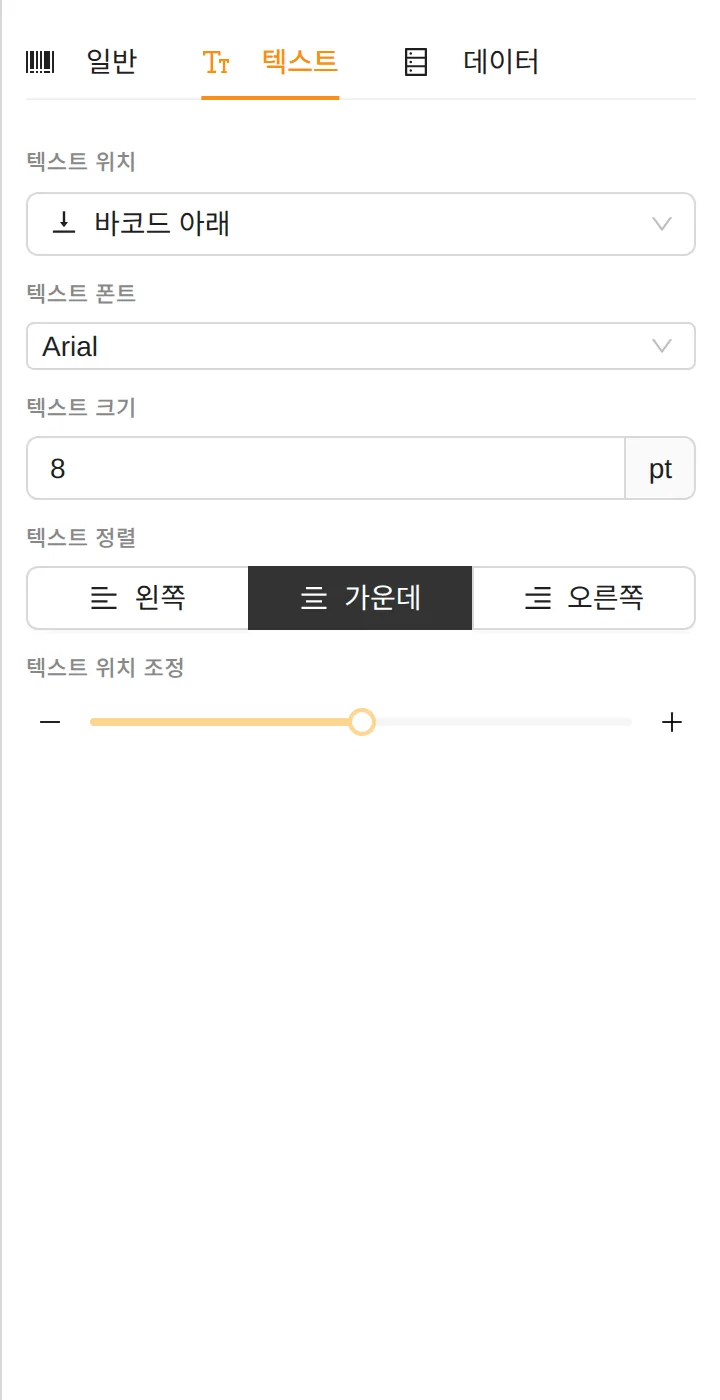
You can change the position, font, size and alignment of the digits and characters shown below (or above) the barcode, or hide them entirely.
QR codes and other 2D barcodes
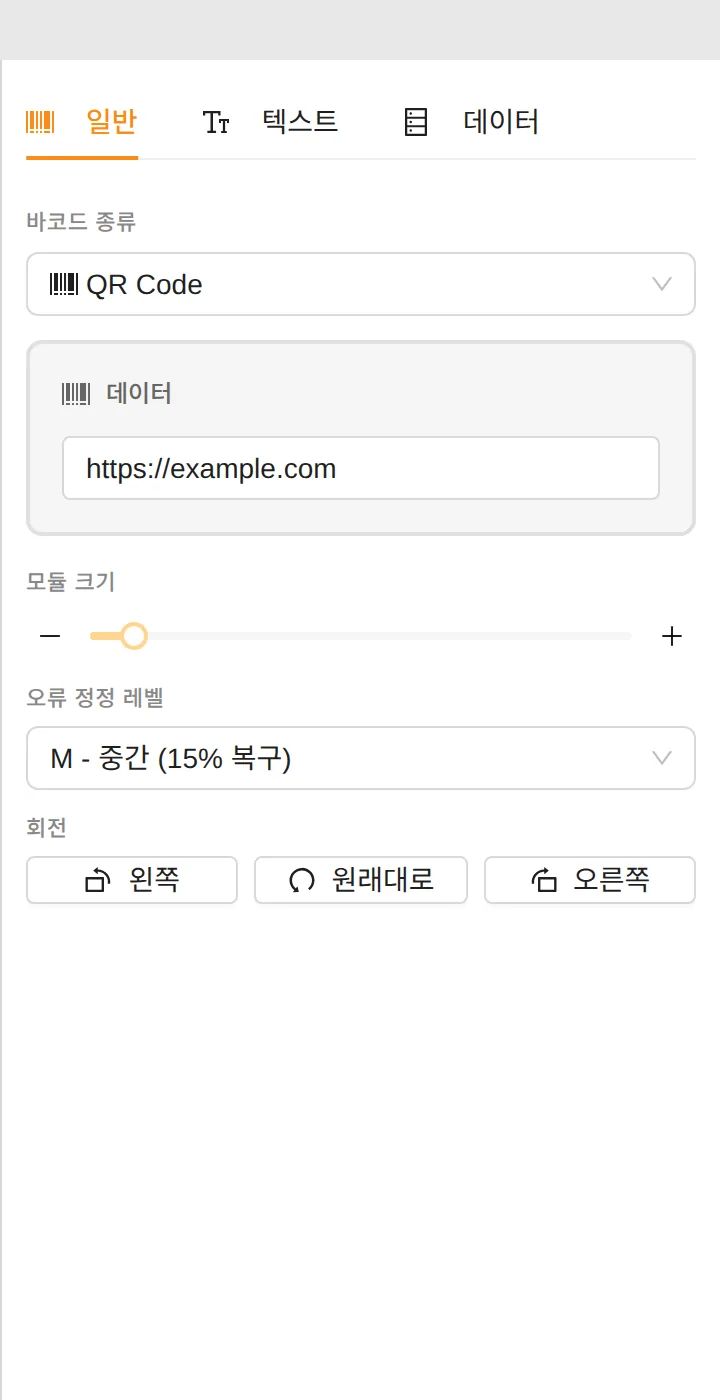
- Module size — The size of one dot (mm). The smaller it is, the denser the code.
- Error correction level — L (7%) / M (15%) / Q (25%) / H (30%). A higher level is recommended if labels are likely to get dirty.
GS1 barcodes
For the GS1 family, such as GS1-128, GS1 QR and GS1 Data Matrix, use the Configure GS1 data… button to build the value by combining AIs (Application Identifiers).

Select AI codes such as (01) GTIN product code, (10) lot number, (17) expiration date and (21) serial number, and enter their values. A GS1 code that meets the specification is generated and validated automatically.
Food QR
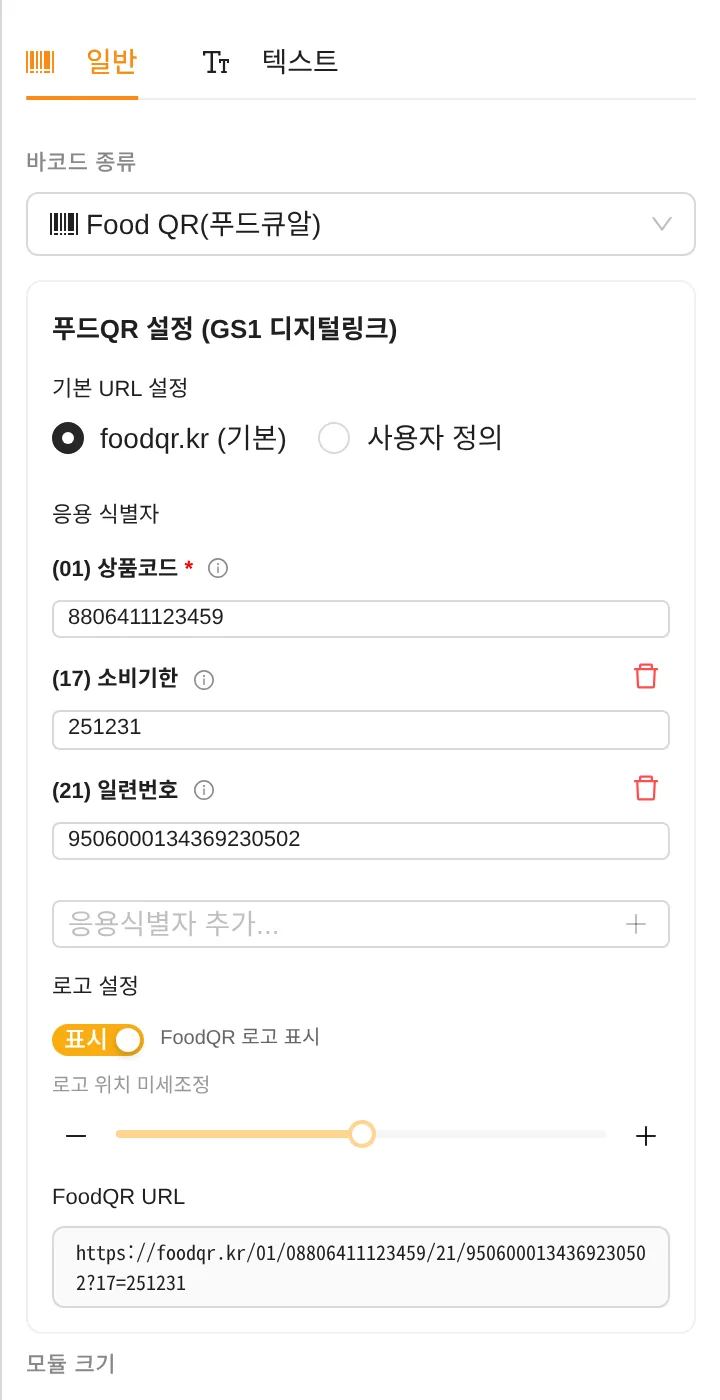
- Supports the Food QR (foodqr.kr) specification of Korea's National Food Safety Information Service.
- (01) Product code is required — if you enter 12 digits, the check digit is calculated automatically.
- You can add application identifiers such as use-by date (17) and serial number (21), and set whether and where the FoodQR logo is shown.