
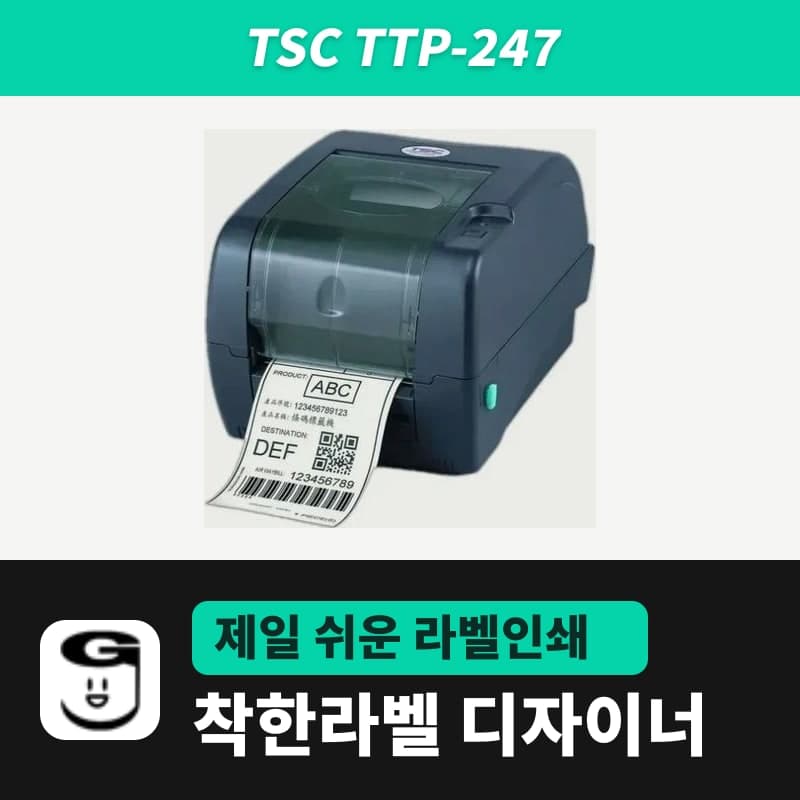
TSC · Label printers
TSC TTP-247 label printer
The TSC TTP-247 is a 203 dpi printer that detects the loaded ribbon to choose thermal transfer or direct thermal. With 'Printer settings' as the GoodLabel Designer print method it follows that choice; Direct thermal or Thermal transfer sends SET RIBBON. Media 20–112 mm, ribbons 40–110 mm (300 m).
- Print method
- Thermal transfer and direct thermal
- Resolution
- 203 dpi (8 dots/mm)
- Max print speed
- 178 mm/s (7 ips)
- Max print width
- 108 mm
- Label length
- 10–2,286 mm (the GoodLabel Designer label size field goes up to 1000 mm)
- Media width and thickness
- 20–112 mm, 0.06–0.19 mm
Specifications
| Print method | Thermal transfer and direct thermal |
|---|---|
| Resolution | 203 dpi (8 dots/mm) |
| Max print speed | 178 mm/s (7 ips) |
| Max print width | 108 mm |
| Label length | 10–2,286 mm (the GoodLabel Designer label size field goes up to 1000 mm) |
| Media width and thickness | 20–112 mm, 0.06–0.19 mm |
| Media roll | 127 mm outer diameter, 25.4–76.2 mm core inner diameter, wound printed side out |
| Media types | Continuous, die-cut, black mark, fan-fold, notched |
| Sensors | Transmissive gap sensor, reflective black mark sensor (adjustable position), ribbon end, head open |
| Ribbon | 300 m, 1-inch core, up to 67 mm outer diameter, ink side out |
| Ribbon width | 40–110 mm |
| Printer language | TSPL-EZ |
| Interfaces | USB 2.0, RS-232, Centronics standard / Ethernet (factory option), Bluetooth (user option) |
| LEDs and buttons | One LED (green, amber, red), one FEED button |
| GoodLabel Designer model | TTP-247 (TSPL, 203 dpi) |
| Operating environment | 5–40°C, 25–85% humidity (non-condensing) |
| Dimensions and weight | 213×188×314 mm, 2.8 kg |
The TTP-247 is a TSC 4-inch desktop printer that detects the loaded ribbon on its own and runs in either thermal transfer or direct thermal. It is also listed in the GoodLabel Designer model list under its sales name as a TSPL 203 dpi printer, so how you set the Print method field determines whether it follows that automatic detection or the Designer sets and sends the method.
The three Print method options and TTP-247 ribbon detection
| Print method in Printer settings | TSPL sent with the label | Roll to load in the TTP-247 |
|---|---|---|
| Printer settings (default) | No method command | The printer decides: thermal transfer if a ribbon is loaded, direct thermal if not |
| Direct thermal | SET RIBBON OFF | Load only direct thermal labels and remove the ribbon |
| Thermal transfer | SET RIBBON ON | Load plain label stock together with a ribbon with the ink side out |
Where direct thermal and ribbon labels are used alternately, leaving it at the default "Printer settings" and only swapping rolls reduces the need to touch the settings. Where only one method is used, choose Direct thermal or Thermal transfer so that each print job fixes the method with a SET RIBBON command.
Settings by gap, continuous and black mark roll
- For gap labels with space between labels, set the media type to Gap labels. The number entered in the Gap length field next to it (default 3 mm, 0–20 mm, 0.5 mm steps) is sent to the TTP-247 as the GAP n mm,0 mm command, so measure the actual gap on the roll with a ruler and enter it.
- For continuous rolls with no breaks, choose Continuous media. GAP 0 mm,0 mm is then sent, and where each piece ends is determined by the label height entered in the Designer.
- For rolls with a black stripe on the back, choose Black mark. The Designer sends BLINE 3 mm,0 mm as a fixed value regardless of the mark size, so the mark position must be read by the sensor on the TTP-247.
- The TTP-247 black mark sensor can be moved. Align the sensor with the line where the marks pass, then click the Detect black mark button that appears below Black mark to send the AUTODETECT command, and turn the power off and on as instructed to print with the new reference.
If the first label position shifts after switching to gap labels or a continuous roll, open the Printer troubleshooting window with the Troubleshoot button in the ribbon. Select the TTP-247 there and click Detect media to send the same AUTODETECT command. Screenshots are in the troubleshooting section of the Printing chapter of the guide.
TTP-247 media and ribbon range and Designer label size
The internal roll holder takes rolls up to 127 mm in outer diameter, with core inner diameters from 1 inch (25.4 mm) to 3 inches (76.2 mm). Rolls must be wound with the printed side out, and within the media width of 20–112 mm and thickness of 0.06–0.19 mm, the head prints up to 108 mm.
The printer prints a single label 10–2,286 mm long, but the Designer label size field is limited to 1000 mm for both width and height. Strip labels longer than 1 m cannot be designed as a single label in the Designer.
The ribbon is a 300 m roll on a 1-inch core up to 67 mm in outer diameter, with the ink side out, and 40–110 mm wide. The wax ribbon meets these conditions if you choose a width from 40 mm to 110 mm in 10 mm steps in the 300 m product, and you can check the ink side direction by the OUTSIDE lettering on the roll end face. To print without a ribbon, load GoodLabel thermal roll labels.
Reading TTP-247 status from the LED color
The front of the TTP-247 has one LED that lights in three colors — green, amber and red — and one FEED button.
| LED | TTP-247 status |
|---|---|
| Green on | Powered on and ready to print |
| Green flashing | Receiving data or paused |
| Amber | Clearing stored data |
| Red on | Head cover open or cutter error |
| Red flashing | Print errors such as out of paper, paper jam, out of ribbon or memory error |
When green is flashing because of a pause, press the FEED button once to resume the stopped job. If red is flashing because labels have run out, load a new roll and press the FEED button to continue printing; if it flashes even though labels remain, the printer settings are off, so initialize the printer. When the ribbon runs out, load a new ribbon roll; when a label is jammed, follow the steps below.
Labels jam and stop when the sensor sensitivity does not match the roll, the set label size differs from the actual roll, or a label is caught near the sensor. For jobs sent from the Designer, first check that the label width and height in Printer settings match the roll, remove the caught label, then run Detect media again.
Compatible with GoodLabel Designer
You can design and print labels for this model with GoodLabel Designer, our free label software. GoodLabel Designer · User Guide
FAQ
- Can the Designer print to a TTP-247 connected by RS-232 or parallel port?
- The Designer sends TSPL commands as RAW data to the printer queue registered in Windows, so it prints the same way whichever port — USB, COM or LPT — the TTP-247 driver uses. The Designer's own serial communication printing is not used in the current release, so just set the driver port to the connector you use.
- Can I design a single label longer than 1 m?
- The TTP-247 accepts label lengths up to 2,286 mm, but the Designer label size field has a max of 1000 mm for both width and height. A single label longer than 1000 mm cannot be made in the Designer.
- I have a black mark roll, but there is no field for the mark height.
- For TSPL printers, BLINE 3 mm,0 mm is sent as a fixed value and there is no separate mark height field. Instead, move the TTP-247 black mark sensor to the line where the marks pass, and after Detect black mark, turn the power off and on so the printer reads the marks again.
- What changes when I check 'Print as image'?
- When checked, the Print method, Media type and Gap length fields are grayed out, and the Designer prints through the Windows driver instead of TSPL commands. The media and method settings saved in the TTP-247 driver are then used.
Drivers & manuals
How to buy
- In Korea, this product is sold through our Korean online store. Korean product page →
- Outside Korea, contact us by email. Email: Contact →
- Or buy from an authorized dealer in your country.
Other models in this category
 Good LabelGoodLabel 4B-2054NS direct thermal label printerThe GoodLabel 4B-2054NS is a direct thermal only 4-inch printer driven by GoodLabel Designer in TSPL; the Gap length field value goes into the GAP command as is. GoodLabel 4B-2054NS, W-4B-2054NS and Xprinter 4B-2054N in the model list are all TSPL at 203 dpi, so each sends the same commands.
 BixolonBixolon SLP-DX220 label printerThe SLP-DX220 is a Bixolon 2-inch direct thermal printer, 54mm print width, 203dpi, up to 6ips, rolls 15–60mm wide. Select SLP-DX220 (ZPL, 203dpi) in the GoodLabel Designer model list, and the Troubleshoot window skips the print method step and guides only saving the label type and Detect media.
 BixolonBixolon SLP-DX223 label printerA 2-inch direct thermal printer for dense text and QR codes on small labels 10–20mm tall, using the SLP-DX220 body with a head of about 11.8 dots per mm (print width 56.9mm, max 4ips). In the Designer model list it appears under its sales name, SLP-DX223, with a single ZPL, 300dpi setting.
 BixolonBixolon SLP-DX420 label printerThe SLP-DX420 is a Bixolon 4-inch direct thermal only printer, 108mm wide at 203dpi and up to 7ips, suited to printing many thermal labels such as 100×150mm shipping labels. In GoodLabel Designer, select SLP-DX420 (ZPL, 203dpi); copies of the same label go as one ^PQ quantity command.
 BixolonBixolon SLP-DX423 label printerFor the SLP-DX423, you must select the SLP-DX423 (ZPL, 300dpi) entry in GoodLabel Designer; if you send to the 203dpi SLP-DX420 entry, labels come out shrunk to about 68% of their size. The printer is a Bixolon 4-inch direct thermal only model with a 105.7mm print width and a max speed of 5ips.
 BixolonBixolon SLP-TX400 label printerIn the GoodLabel Designer Troubleshoot window, the print method step (thermal transfer or direct thermal) appears only when the Printer model field shows SLP-TX400. It is a Bixolon 4-inch thermal transfer and direct thermal printer (203dpi, 108mm, max 7ips); Designer entry: SLP-TX400 (ZPL, 203dpi).