
TSC · Label printers
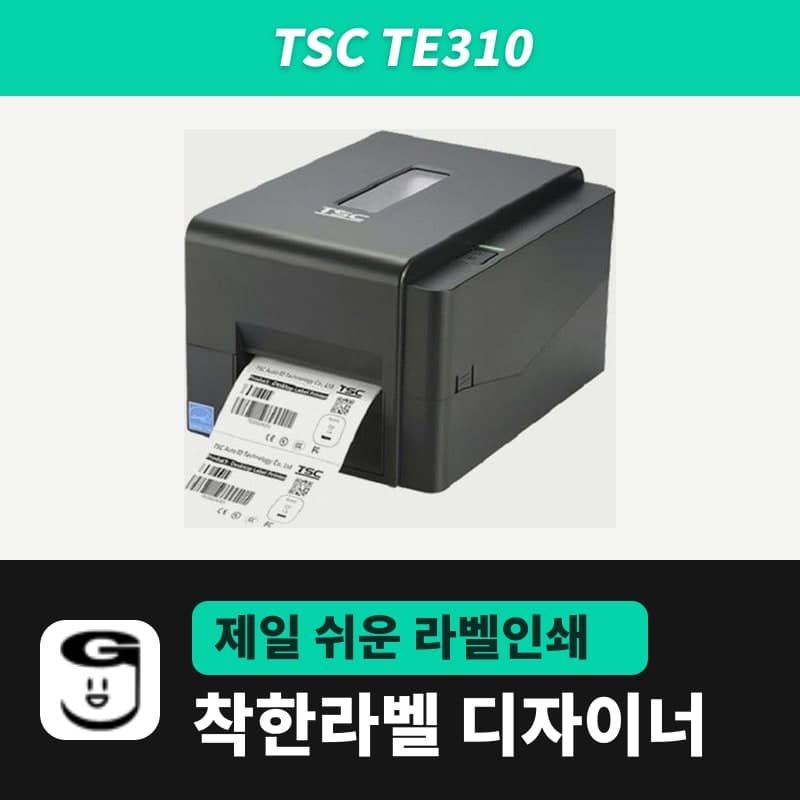
TSC TE310 label printer
Set the TSC TE310 to the GoodLabel Designer model TE310 (TSPL, 300 DPI) and labels are sent at about 11.8 dots per mm; set to a 203 dpi entry by mistake, the image prints shrunk to about 68%. The print width is 105.7 mm, and the peel-off module takes labels 25.4–152.4 mm high.
- Print method
- Thermal transfer and direct thermal
- Resolution
- 300 dpi (12 dots/mm, 1 mm = 11.8 dots), dot size 0.084 mm
- Max print speed
- 127 mm/s (5 ips), 3 ips in peel-off mode
- Max print width
- 105.7 mm
- Label length
- 5–11,430 mm (peel-off 25.4–152.4 mm, cutter 25.4 mm or more)
- Media width and thickness
- 20–112 mm, 0.06–0.19 mm
Specifications
| Print method | Thermal transfer and direct thermal |
|---|---|
| Resolution | 300 dpi (12 dots/mm, 1 mm = 11.8 dots), dot size 0.084 mm |
| Max print speed | 127 mm/s (5 ips), 3 ips in peel-off mode |
| Max print width | 105.7 mm |
| Label length | 5–11,430 mm (peel-off 25.4–152.4 mm, cutter 25.4 mm or more) |
| Media width and thickness | 20–112 mm, 0.06–0.19 mm |
| Media roll | 127 mm outer diameter, 25.4–38 mm core, wound printed side out |
| Gap and black mark | Gap 2 mm or more, black mark height 2 mm and width 8 mm or more |
| Ribbon | 300 m (1-inch core, 67 mm outer diameter) · 110 m (0.5-inch core, 40 mm outer diameter), ink side out, width 40–110 mm |
| Interfaces | USB 2.0, Ethernet 10/100 Mbps, RS-232, USB host |
| Options | Peel-off module, guillotine cutter (dealer option), external roll mount (user option) |
| Printer language | TSPL-EZD (EPL, ZPL, ZPL II, DPL compatible) |
| GoodLabel Designer model | TE310 (TSPL, 300 dpi) |
| Operating environment | 5–40°C, 25–85% humidity (non-condensing) |
| Dimensions and weight | 204×164×280 mm, 2.5 kg |
If you connect a TE310 and mistakenly leave the Designer model on a 203 dpi entry, text and barcodes come out shrunk to about 68% of their on-screen size. This is because the head prints about 11.8 dots per mm while the Designer draws and sends 8 dots per mm; with the model field set to TE310 (TSPL, 300 DPI), the image is also built at 11.8 dots. The width the head actually prints is up to 105.7 mm.
How label width converts to dots at 300 dpi
When the Designer draws a label as a bitmap, it sets the number of dots by multiplying mm by the resolution, dividing by 25.4 and rounding up. The same label drawn for the TE310 has about 1.48 times as many horizontal dots, and one dot is 0.084 mm, smaller than the 0.125 mm of 203 dpi models.
| Label width | Dots drawn at 203 DPI | Dots drawn for TE310 (300 DPI) |
|---|---|---|
| 40 mm | 320 dots | 473 dots |
| 60 mm | 480 dots | 709 dots |
| 100 mm | 800 dots | 1,182 dots |
If the Windows printer name contains "TE310", the model and 300 DPI are filled in automatically, so the shrinking above happens when you use a renamed printer or select the model manually.
When you switch resolutions, barcodes change separately. The moment you change the resolution from 203 to 300 in the Printer settings window, the Designer recalculates the width and module size of the barcodes in the document for the new resolution, so print one label before production and read it with a scanner. Module size and error correction level settings are in the Barcode chapter of the guide.
105.7 mm print width and label width
Media 20–112 mm wide can be loaded. A 100 mm wide label prints across its entire face, and on wider labels the area outside 105.7 mm comes out blank. Enter the actual label width in the Designer label size, but place text and barcodes within 105.7 mm.
Label length in peel-off and cutter modes
With the peel-off module, a dealer option, labels are peeled one at a time only at label lengths of 25.4–152.4 mm (1–6 inches), and cutter mode cuts from 25.4 mm up to the max print length of 11,430 mm. So layouts with a Designer label height shorter than 25.4 mm do not fit either mode.
The TSPL commands the Designer sends to the TE310 include size, gap, print direction, ribbon, density, speed and the label image, but no peel or cut command. After finishing sensor calibration, set the post-print action for the module in Post-Print Action on the Common tab of Printer Configuration in TSC Console.
Ribbon and print method
The TE310 has exactly the same ribbon roll spec as its 203 dpi sibling TE210, so the coated side direction, outer diameter by length and width conditions follow the ribbon section of the TE210 page. The mapping between the print method options and commands is in the table on the TTP-247 page.
Left/right cut-off and position shift on small labels
| Symptom | Causes listed by TSC | What to fix in the Designer |
|---|---|---|
| Left or right side of the label does not print | Label size setting differs from the actual size | Correct the width in the label size in Printer settings to the actual label width, and check whether any elements are beyond 105.7 mm. |
| Print position is off on small labels | Sensor sensitivity setting, label size setting, driver vertical offset setting | Recalibrate the sensor with Detect media (AUTODETECT) in the printer Troubleshoot window, check the label size and gap length, then move any remaining shift with Vertical offset in Advanced settings. |
The vertical offset that TSC says to adjust in the driver is a setting used when printing through the driver with "Print as image" checked. In standard RAW printing, Vertical offset in the Designer's Advanced settings does that job.
Compatible with GoodLabel Designer
You can design and print labels for this model with GoodLabel Designer, our free label software. GoodLabel Designer · User Guide
FAQ
- If the printer name does not include the model name, how do I set the TE310 in the Designer?
- Search for TE310 in the printer model field and select it. The TE310 has only one resolution, 300, so 300 DPI is set as soon as you select it.
- Can I print to the edge of a 110 mm wide label?
- Media up to 112 mm wide fits, but the TE310 head prints 105.7 mm. For a 110 mm label, keep the print elements within 105.7 mm so they are not cut off.
- Is there a size limit for labels peeled with the peel-off module?
- The label length accepted in peel-off mode is 25.4–152.4 mm. The Designer does not send a peel command, so after installing the module, set the peel-off operation in Post-Print Action in TSC Console.
Drivers & manuals
How to buy
- In Korea, this product is sold through our Korean online store. Korean product page →
- Outside Korea, contact us by email. Email: Contact →
- Or buy from an authorized dealer in your country.
Other models in this category
 Good LabelGoodLabel 4B-2054NS direct thermal label printerThe GoodLabel 4B-2054NS is a direct thermal only 4-inch printer driven by GoodLabel Designer in TSPL; the Gap length field value goes into the GAP command as is. GoodLabel 4B-2054NS, W-4B-2054NS and Xprinter 4B-2054N in the model list are all TSPL at 203 dpi, so each sends the same commands.
 BixolonBixolon SLP-DX220 label printerThe SLP-DX220 is a Bixolon 2-inch direct thermal printer, 54mm print width, 203dpi, up to 6ips, rolls 15–60mm wide. Select SLP-DX220 (ZPL, 203dpi) in the GoodLabel Designer model list, and the Troubleshoot window skips the print method step and guides only saving the label type and Detect media.
 BixolonBixolon SLP-DX223 label printerA 2-inch direct thermal printer for dense text and QR codes on small labels 10–20mm tall, using the SLP-DX220 body with a head of about 11.8 dots per mm (print width 56.9mm, max 4ips). In the Designer model list it appears under its sales name, SLP-DX223, with a single ZPL, 300dpi setting.
 BixolonBixolon SLP-DX420 label printerThe SLP-DX420 is a Bixolon 4-inch direct thermal only printer, 108mm wide at 203dpi and up to 7ips, suited to printing many thermal labels such as 100×150mm shipping labels. In GoodLabel Designer, select SLP-DX420 (ZPL, 203dpi); copies of the same label go as one ^PQ quantity command.
 BixolonBixolon SLP-DX423 label printerFor the SLP-DX423, you must select the SLP-DX423 (ZPL, 300dpi) entry in GoodLabel Designer; if you send to the 203dpi SLP-DX420 entry, labels come out shrunk to about 68% of their size. The printer is a Bixolon 4-inch direct thermal only model with a 105.7mm print width and a max speed of 5ips.
 BixolonBixolon SLP-TX400 label printerIn the GoodLabel Designer Troubleshoot window, the print method step (thermal transfer or direct thermal) appears only when the Printer model field shows SLP-TX400. It is a Bixolon 4-inch thermal transfer and direct thermal printer (203dpi, 108mm, max 7ips); Designer entry: SLP-TX400 (ZPL, 203dpi).