
TSC · Label printers
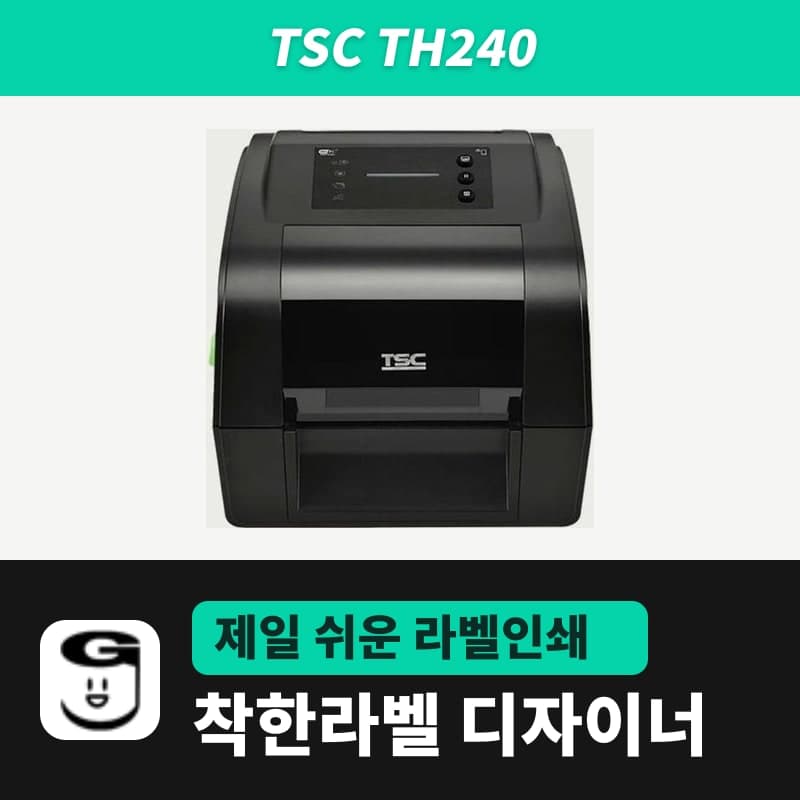
TSC TH240 label printer
The TSC TH240 is not in the GoodLabel Designer list, so print with TE210, a TSPL 203 dpi model that supports both methods. When alternating ribbon and direct thermal labels, choose the print method yourself; use labels with under 6 mm of right liner margin and 40–110 mm ribbons, coated side out.
- Print method
- Thermal transfer and direct thermal
- Resolution
- 203 dpi (8 dots/mm)
- Max print speed
- 203 mm/s (8 ips), 76 mm/s in peel-off mode
- Max print width and length
- 108 mm, 25,400 mm
- Ribbon
- 300 m (1-inch core, 67 mm outer diameter) · 110 m (0.5-inch core, 40 mm outer diameter), ink side out
- Ribbon width
- 40–110 mm
Specifications
| Print method | Thermal transfer and direct thermal |
|---|---|
| Resolution | 203 dpi (8 dots/mm) |
| Max print speed | 203 mm/s (8 ips), 76 mm/s in peel-off mode |
| Max print width and length | 108 mm, 25,400 mm |
| Ribbon | 300 m (1-inch core, 67 mm outer diameter) · 110 m (0.5-inch core, 40 mm outer diameter), ink side out |
| Ribbon width | 40–110 mm |
| Media width | 15–120 mm (15–112 mm including liner in peel-off and cutter modes), gap between label and liner edge on the right less than 6 mm |
| Media thickness | 0.06–0.19 mm (care labels 0.06–0.10 mm) |
| Label length | 5–25,400 mm (peel-off 25.4–152.4 mm, cutter 25.4 mm or more) |
| Media roll | 127 mm outer diameter, 25.4–38.1 mm core, wound printed side out |
| Sensors | Transmissive gap, reflective black mark (adjustable position), ribbon end, head open |
| Printer language | TSPL-EZD (EPL, ZPL, ZPL II, DPL compatible) |
| Interfaces | USB 2.0, RS-232, USB host, Ethernet 10/100 Mbps |
| In the box | Two 1-inch ribbon spindles (for 300 m rolls), 1-inch paper ribbon core, two 120 mm media adapters, USB cable, power supply |
| GoodLabel Designer model | Not in the list — select a TSPL 203 dpi entry (e.g. TE210) instead |
| Dimensions and weight | 223×186×286 mm, 2.8 kg |
The TSC TH240 is not in the GoodLabel Designer list, so put TE210, which is also TSPL 203 dpi and prints both thermal transfer and direct thermal, in the model field and set only the printer field to the TH240 (for the principle, see the MH241 page). On the media side, first check the condition unique to the TH240: the gap between the label and the liner edge on the right side must be less than 6 mm.
Print method on days you swap supplies
If you alternate between ribbon labels and direct thermal labels on one printer, do not leave the print method at the default Printer settings; choose Thermal transfer or Direct thermal yourself to match the supplies loaded that day. That way the method is fixed for each job regardless of the method saved on the printer, and the command for each option is the same as in the table on the TTP-247 page. In driver printing with "Print as image" turned on, this command is not included.
The installer for Windows registration (TSC_2023.4.exe) is attached to the TSC unified driver download.
Conditions for choosing GoodLabel ribbons and labels
The TH240 ribbon compartment takes only rolls with the coated side facing out, and the roll diameter limit differs: 67 mm for a 300 m roll on a 1-inch core and 40 mm for a 110 m roll on a 0.5-inch core. Widths under 40 mm or over 110 mm cannot be loaded. All eight widths of 40–110 mm in the 300 m variant of the GoodLabel wax ribbon fall within the TH240 ribbon width, and the rolls have an OUTSIDE marking on the end face, but the roll outer diameter is not given in the variant listing, so measure that it is 67 mm or less when you receive it. The two 1-inch ribbon spindles used to load 300 m rolls and the 1-inch paper core for rewinding come in the TH240 box.
Label rolls 15–120 mm wide, wound printed side out, with 25.4–38.1 mm cores are accepted. When loading GoodLabel thermal roll labels to print without a ribbon, remove the ribbon and change the print method to Direct thermal.
- When loading media, move the guides against the roll width with the media guide adjustment button, and check that the gap between the label and the liner edge on the right does not exceed 6 mm.
- With a peel-off module or cutter installed, the media width including the liner narrows to 15–112 mm.
- Two adapters for 120 mm wide media are also in the same box.
Ribbon print fault symptoms and what to check in the Designer
Nothing prints on the label
The label or ribbon is loaded incorrectly, the ribbon and label are an incompatible combination, the ribbon ink side is reversed, the density is wrong, or the head is dirty. In the Designer, check that the print method is Thermal transfer and check the density (0–15, default 11), and reload the ribbon with the ink side facing out.
Ribbon-out indication
The ribbon has run out or is loaded incorrectly. Replace it with a new ribbon roll or reload the current ribbon in the correct order.
Ribbon wrinkles
One of head pressure, ribbon loading, media loading, density or media feed is off. Lower or raise the Designer density as appropriate, and check that the label guides touch the media edges.
The ribbon loading order and path illustration are in section 4.3 of the TSC DH240/TH240 user guide in the download center, and the meaning of each LED color is summarized in the table in section 5.1.2 of the same guide.
Compatible with GoodLabel Designer
You can design and print labels for this model with GoodLabel Designer, our free label software. GoodLabel Designer · User Guide
FAQ
- Which model entry do I select for the 300 dpi TH340?
- The TH340 is a 12 dots/mm (300 dpi) TSPL-EZD model, so select TE310, a TSPL 300 dpi model that supports both methods, in the Designer list. If you leave it on a 203 dpi entry, the image prints shrunk to about 68% of the size.
- What setting do I change when printing direct thermal labels without the ribbon?
- Change the print method in Printer settings to Direct thermal. SET RIBBON OFF is then added at the start of each print job, and the TH240 prints without a ribbon.
- If I install a cutter or peel-off module, is there a field to turn it on in the Designer?
- The TSPL commands the Designer sends contain no cutter or peel-off operation. On the base TH240 without an LCD, change Print Mode (Cutter Mode, Peeler Mode) in TSC Console or the driver (on the T model, also possible from the LCD menu), and in the Designer set the label length to 25.4 mm or more for the cutter and 25.4–152.4 mm for peel-off.
Drivers & manuals
How to buy
- In Korea, this product is sold through our Korean online store. Korean product page →
- Outside Korea, contact us by email. Email: Contact →
- Or buy from an authorized dealer in your country.
Other models in this category
 Good LabelGoodLabel 4B-2054NS direct thermal label printerThe GoodLabel 4B-2054NS is a direct thermal only 4-inch printer driven by GoodLabel Designer in TSPL; the Gap length field value goes into the GAP command as is. GoodLabel 4B-2054NS, W-4B-2054NS and Xprinter 4B-2054N in the model list are all TSPL at 203 dpi, so each sends the same commands.
 BixolonBixolon SLP-DX220 label printerThe SLP-DX220 is a Bixolon 2-inch direct thermal printer, 54mm print width, 203dpi, up to 6ips, rolls 15–60mm wide. Select SLP-DX220 (ZPL, 203dpi) in the GoodLabel Designer model list, and the Troubleshoot window skips the print method step and guides only saving the label type and Detect media.
 BixolonBixolon SLP-DX223 label printerA 2-inch direct thermal printer for dense text and QR codes on small labels 10–20mm tall, using the SLP-DX220 body with a head of about 11.8 dots per mm (print width 56.9mm, max 4ips). In the Designer model list it appears under its sales name, SLP-DX223, with a single ZPL, 300dpi setting.
 BixolonBixolon SLP-DX420 label printerThe SLP-DX420 is a Bixolon 4-inch direct thermal only printer, 108mm wide at 203dpi and up to 7ips, suited to printing many thermal labels such as 100×150mm shipping labels. In GoodLabel Designer, select SLP-DX420 (ZPL, 203dpi); copies of the same label go as one ^PQ quantity command.
 BixolonBixolon SLP-DX423 label printerFor the SLP-DX423, you must select the SLP-DX423 (ZPL, 300dpi) entry in GoodLabel Designer; if you send to the 203dpi SLP-DX420 entry, labels come out shrunk to about 68% of their size. The printer is a Bixolon 4-inch direct thermal only model with a 105.7mm print width and a max speed of 5ips.
 BixolonBixolon SLP-TX400 label printerIn the GoodLabel Designer Troubleshoot window, the print method step (thermal transfer or direct thermal) appears only when the Printer model field shows SLP-TX400. It is a Bixolon 4-inch thermal transfer and direct thermal printer (203dpi, 108mm, max 7ips); Designer entry: SLP-TX400 (ZPL, 203dpi).